Most people know roughly what they earn. Few know where it goes. Financial educators estimate that the average person loses over $1,500 per year to small spending habits that compound invisibly - not big mistakes, but dozens of minor decisions that never feel significant on their own.
Budgeting fixes this. Not by restricting spending, but by making it visible. When you know that restaurants cost you $380 last month and subscriptions hit $127, you make different choices. Not because someone told you to - because the numbers changed how you think.
This guide covers three budgeting methods, how to pick the right one, and how to build a tracking habit that lasts longer than January.
Why Budget at All
The most common objection to budgeting is "I already know what I spend." You do not. Nobody does without tracking.
Here is what tracking reveals:
- The subscription creep. That streaming service you signed up for in 2024 now costs 30% more. You have four of them. Combined, they cost more than your electricity bill.
- The convenience tax. Delivery fees, ride-shares instead of transit, express shipping. Small amounts that total hundreds per month.
- The phantom 30%. After rent, utilities, and groceries, most people can account for about 70% of their paycheck. The other 30% vanishes into meals out, impulse purchases, and "small" buys that never feel significant individually.
A budget does not make you spend less. It makes you spend deliberately. That is the difference between feeling broke at month-end and knowing exactly where your money went.
Three Budgeting Methods That Work
Every budgeting method tries to answer the same question: does my spending match my priorities? They differ in how much effort they require and how much control they provide.
The 50/30/20 Rule
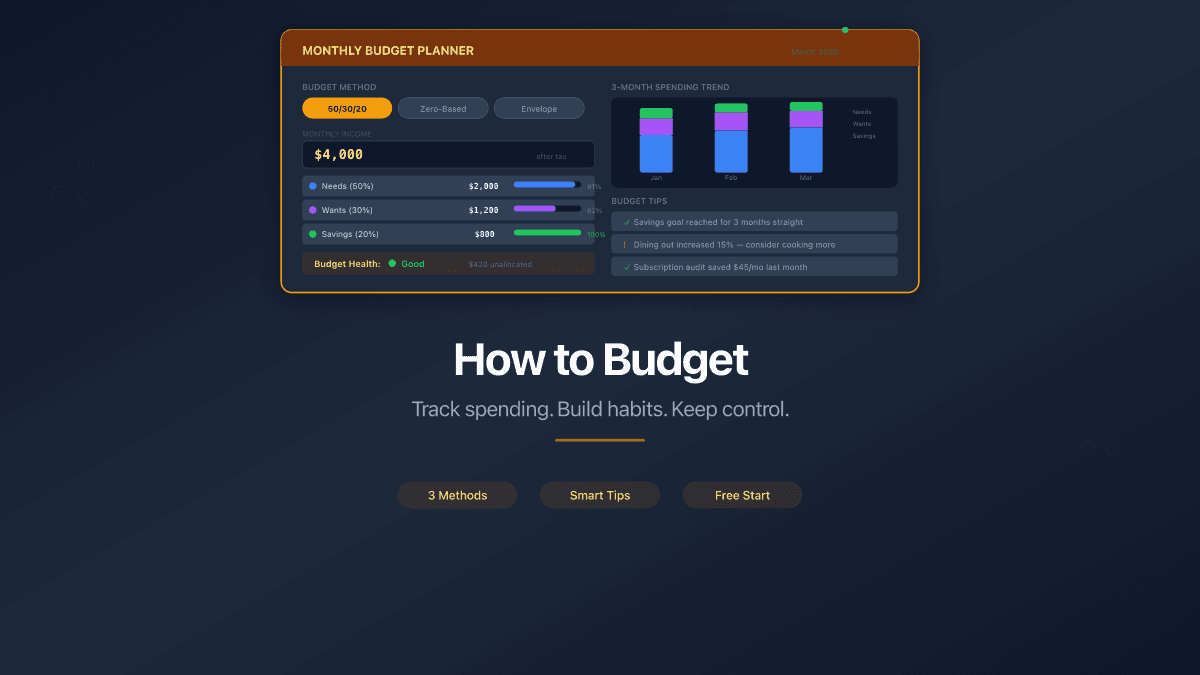
Created by Senator Elizabeth Warren in her 2005 book All Your Worth, this method splits after-tax income into three buckets:
- 50% - Needs: rent or mortgage, utilities, groceries, insurance, minimum debt payments, transportation
- 30% - Wants: dining out, entertainment, shopping, hobbies, subscriptions beyond basics
- 20% - Savings and debt repayment: emergency fund, investments, extra loan payments
| Pros | Cons |
|---|---|
| Simple - only 3 categories to track | Too broad for detailed analysis |
| Flexible within each bucket | 50% may not cover needs in high-cost cities |
| Good starting point for beginners | No guidance on individual spending areas |
If housing alone takes 40% of your income, consider a 60/20/20 or 70/20/10 split instead. The percentages are guidelines, not laws.
The Envelope Method
Assign a fixed amount to each spending category. When the envelope is empty, you stop spending in that category until next month.
Originally used with physical cash - you literally put bills in labeled envelopes. Modern versions use digital tools that mimic the same constraint: a fixed amount per category, a visible balance, and a hard stop when you hit zero.
| Pros | Cons |
|---|---|
| Prevents overspending by design | Rigid - no flexibility between categories |
| Makes spending feel tangible | Awkward for recurring digital payments |
| Good for people who overspend in specific areas | Requires frequent manual tracking |
This method works best for discretionary spending. Use it alongside automatic bill payments for fixed expenses.
Zero-Based Budgeting
Every unit of currency gets assigned a job before the month starts. Income minus all allocated spending equals zero. Nothing is unaccounted for.
If you earn $4,000 after taxes, you allocate $1,200 to rent, $400 to groceries, $200 to transport, $100 to subscriptions, $500 to savings, and so on until every dollar has a destination. Unplanned income goes to savings or debt.
| Pros | Cons |
|---|---|
| Maximum control and visibility | Time-intensive to set up and maintain |
| Forces you to evaluate every expense | Stressful for irregular income |
| Eliminates "where did it go?" entirely | Requires discipline to assign every dollar |
Zero-based budgeting is the most effective method for people willing to invest 15-20 minutes per week. If that sounds like too much, start with 50/30/20 and graduate to zero-based after a few months.
You do not have to choose one method permanently. Start with 50/30/20 to build the tracking habit, then switch to zero-based budgeting when you want more control. Many people combine methods - using 50/30/20 for the big picture and envelopes for problem categories like dining out.
How to Choose Expense Categories
Categories turn raw numbers into patterns. Without them, a transaction list is noise. With them, you can answer questions like "how much do I spend on food?" or "did my transport costs go up this month?"
Most beginners face two extremes: too few categories (everything lumped into "expenses") or too many (separate categories for every coffee shop). Both make analysis useless.
A good starting set covers 8-12 categories:
- Housing - rent, mortgage, property tax
- Utilities - electricity, water, internet, phone
- Groceries - supermarket and market purchases
- Transportation - fuel, transit, parking, ride-sharing
- Health - insurance, medication, doctor visits
- Dining out - restaurants, cafes, delivery
- Subscriptions - streaming, software, memberships
- Shopping - clothing, electronics, household items
- Education - courses, books, professional development
- Entertainment - events, hobbies, games
- Savings - emergency fund, investments
- Other - gifts, donations, uncategorized
PaperLink ships with 100+ pre-built categories organized in a three-level hierarchy. You start with a ready-made structure and customize from there - rename categories, add sub-categories, or archive ones you do not use.
Do not spend hours perfecting categories before you start tracking. Use the defaults, record transactions for a month, and then adjust based on what you actually need to see. Categories can be reorganized at any time without losing transaction data.
Where to Track Your Budget
The tool matters less than the habit. But the right tool makes the habit easier to maintain.
Spreadsheets (Excel, Google Sheets)
Complete control over format and formulas. Zero cost. But every transaction is manual entry, there is no mobile-friendly way to log expenses on the go, and analysis requires building your own charts and pivot tables. Spreadsheets work until they do not - most people abandon them within three months.
Bank Apps
Your bank already tracks card spending. The data is there automatically. But bank apps only show one account - they cannot see cash purchases, e-wallet payments, or spending on other cards. You get a fragmented view, not the full picture.
Dedicated Budget Tools
Purpose-built for the job. Categories, multi-account tracking, analytics, mobile access. The trade-off is cost - many charge monthly fees - and data privacy, since your financial data lives on someone else's server.
PaperLink takes a different approach. The expense tracker is built into a broader platform, so it does not need to monetize your financial data. It supports eight account types (bank, cash, e-wallet, crypto, investment, loan, and more), handles multi-currency with exchange rates on transfers, and comes with pre-configured categories. Start with a free plan and upgrade when you need more capacity.
| Feature | Spreadsheet | Bank App | PaperLink |
|---|---|---|---|
| Cost | Free | Free | Free to start |
| Multiple accounts | Manual | No | Yes (8 types) |
| Categories | Build your own | Limited | 100+ pre-built |
| Multi-currency | Manual | One currency | Built-in with exchange rates |
| Transfers between accounts | Not tracked | Not applicable | Automatic balance adjustment |
| Analytics | Build your own | Basic | By category, account, period |
| Mobile | Awkward | Yes | Yes (web app) |
How Not to Quit After a Week
The biggest risk to any budget is not the method or the tool. It is abandoning the habit before it produces results. Three practices keep budgets alive past the first week.
1. Start with Recording, Not Restricting
The first month is observation only. Record every transaction. Do not try to change your spending yet. You need a baseline before you can improve.
This removes the psychological pressure that kills most budgets. You are not "on a diet." You are collecting data. The insights come naturally - most people reduce spending by 10-15% from the awareness of tracking alone, without any conscious effort to cut back.
2. Use the Two-Minute Rule
If recording a transaction takes more than two minutes, your system is too complex. Simplify your categories, use autocomplete features, or switch tools. PaperLink's autocomplete learns from your history - after a few entries, most transactions take under 10 seconds. Type two characters, and it suggests the description, amount, category, and account based on past patterns.
3. Schedule a Monthly Review
Block 30 minutes on the first of each month. Look at three things:
- Total income vs. total expenses. Is the gap growing or shrinking?
- Top 3 expense categories. Are they what you expected?
- Surprises. Any category that grew significantly without your awareness?
This monthly review is where budgeting pays off. Not in the daily recording, but in the monthly pattern recognition. One review often identifies a forgotten subscription, a spending category that doubled, or an income trend you had not noticed.
Do not track every transaction retroactively. If you forgot to log Tuesday's coffee, skip it. Perfectionism kills budgeting habits faster than anything else. An 80% accurate budget is infinitely more useful than a perfect budget you abandoned.
FAQ
How much time does budgeting take?
Daily recording takes 1-2 minutes if your tool has good autocomplete. The monthly review takes 15-30 minutes. Total: about 45-90 minutes per month. That is less time than most people spend deciding what to watch on streaming services.
What if my income is irregular?
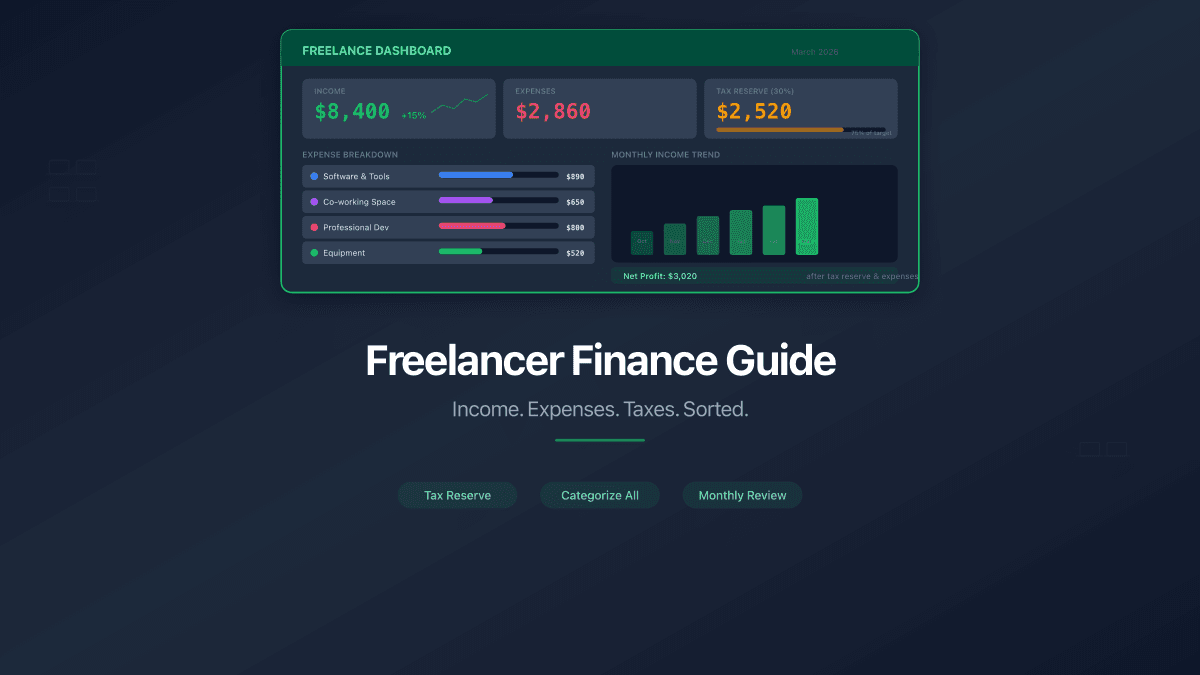
Budget based on your lowest recent month. Treat anything above that as a bonus - split it between savings and a "buffer" fund that smooths out future lean months. Freelancers and contractors should read our guide to freelancer finances, which covers tax reserves and income smoothing in detail.
Do I need to log every coffee?
No. Track purchases above a threshold that matters to you - $5, $10, whatever reduces friction. For small cash purchases, use a daily "misc" entry that estimates the total. Precision matters less than consistency.
Will this work for couples or families?
Yes. PaperLink supports team workspaces where multiple people can record transactions against shared accounts. Each person's personal finances stay private in their personal workspace, while shared household expenses go into the team workspace. Both partners see the same data.
What if I have tried budgeting before and quit?
Start smaller. Track one category only - the one that bothers you most (usually dining out or subscriptions). Once that feels natural, add another category. Building a habit is easier than building a system.
Start Tracking Your Spending
The gap between people who worry about money and those who do not is rarely income. It is visibility. Knowing exactly what comes in, what goes out, and where the patterns are changes how you think about every financial decision.
Pick a method. Set up your accounts. Record your first transaction.
Create your free account and start with pre-configured categories - no setup required.
PaperLink is more than an expense tracker. Share business documents with clients and track who viewed your proposals, presentations, and invoices - with page-by-page analytics and AI-powered insights. Learn more about document sharing analytics.
Related articles:
- The 50/30/20 Budget Rule - how to split your paycheck into needs, wants, and savings
- 10 Expense Categories That Cover Your Entire Budget - the category foundation every budget needs
- Free Expense Tracker - full overview of PaperLink's expense tracking features
- Budget Spreadsheet vs App vs Bank Tool - honest comparison of tracking approaches
- How to Track Expenses With Multiple Bank Cards - combine all cards into one view
- Freelancer Finance Guide - how to manage finances when you work for yourself
- Document Viewer Analytics - track who views your shared documents