
Add an Individual Client
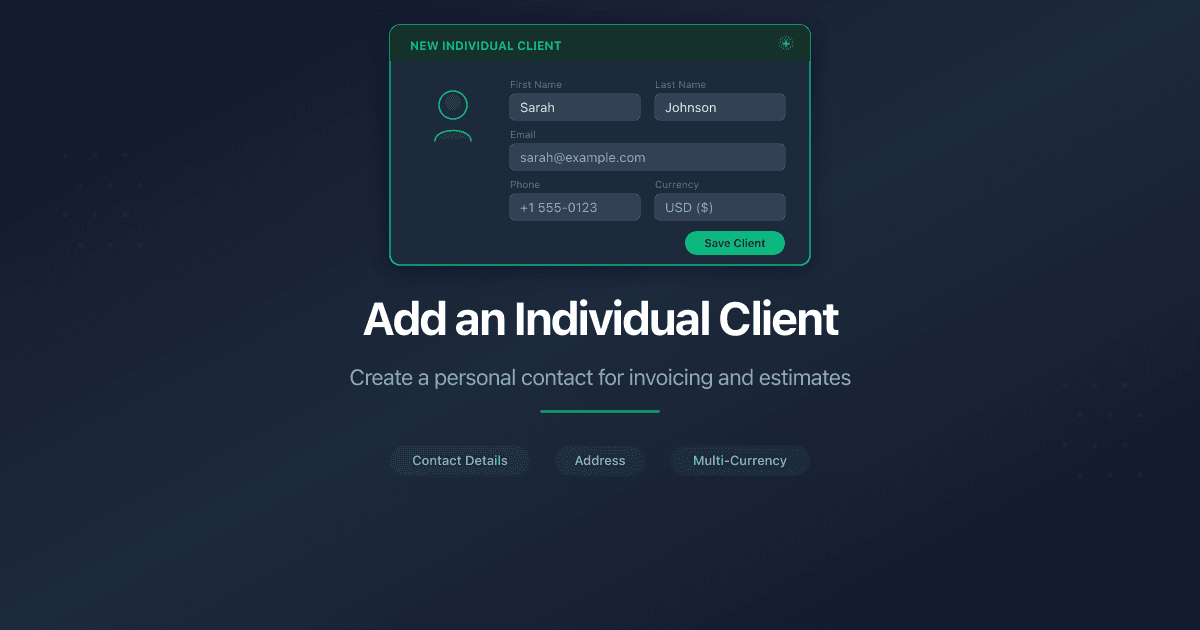
How Do I Add an Individual Client?
An individual client is a person you invoice directly - a freelancer, sole trader, or private customer. PaperLink stores their name, contact details, bank information, and tax IDs so it populates automatically on every invoice and estimate.
PaperLink supports two client types: Company (business entity) and Individual (personal client). This article covers the Individual type. Choose this when your client is a person, not a registered business.
Steps
- Open Clients from the sidebar.
- Click New Client in the top-right corner.
- Select Individual as the client type. The type selector appears only when creating a new client - you cannot change it later.
- Fill in the fields across six tabs.
- Click Save at the bottom of the last tab.
First Name and Last Name are required. All other fields are optional.
Form Tabs
Basic Information - identify the client.
- First Name - 2 to 50 characters. Appears on invoices and estimates.
- Last Name - 2 to 50 characters.
- Base Currency - the default currency for documents sent to this client.
Contact Information - how you reach the client.
- Email - the client's personal email address. PaperLink suggests common domain completions as you type.
- Phone - the client's phone number.
Primary Banking - the client's bank account for receiving or sending payments.
- Bank Name, Account Number, Account Holder Name, Account Type.
- IBAN - starts with a two-letter country code, 15 to 34 characters total. PaperLink formats it automatically.
- SWIFT / BIC - 8 or 11 characters identifying the client's bank internationally.
Regional Banking Codes - country-specific identifiers.
- Routing Number (US) - 9-digit ABA routing number.
- Sort Code (UK) - 6-digit sort code (format: XX-XX-XX).
- BSB (Australia) - 6-digit Bank-State-Branch code.
- Transit Number (Canada) - 5-digit transit number.
- Institution Number (Canada) - 3-digit institution number.
Correspondent Bank - intermediary bank details for international wires.
- Correspondent Bank Name, SWIFT, Account, Address.
Most individual clients do not need correspondent bank or regional banking details. Fill these in only if the client provides them for receiving payments.
Tax Information - the client's tax identifiers.
- Tax ID / EIN - federal tax identifier or Social Security Number.
- VAT Number (EU) - starts with a two-letter country code.
- ABN (Australia) - 11-digit Australian Business Number.
- GST Number (Canada/India) - 9 digits followed by RT0001.
- Individual Tax Number (ITIN) - 9-digit Individual Taxpayer Identification Number.
How Individual Differs from Company
The Individual form is simpler - six tabs instead of eight:
- No Address tab - individual clients do not have a registered business address.
- No Legal & Registration tab - no legal entity type, registration number, DBA name, or Account ID.
- Name - First Name and Last Name instead of Company Name.
If your client is a sole proprietor with a registered business name, use the Company type instead. It includes the Address and Legal & Registration tabs for full business details.
What Happens Next
After saving, the client appears in your Clients list. When you create an invoice or estimate, pick the client from the selector - PaperLink fills in their name and tax details on the document automatically.
Related
- Add a Business Client - add a company or organization instead of an individual
- Create an Invoice - create an invoice for this client
Cet article vous a-t-il été utile ?
Besoin d'aide ?
Parcourez notre centre d'aide ou contactez notre équipe pour une assistance personnalisée.
Articles connexes
Add a Business Client
Add a business client in PaperLink - company name, contact details, address, banking, and tax IDs. This info appears on your invoices and estimates.
Set Up Your Company
Set up your company in PaperLink - name, address, bank details, regional banking codes, and tax IDs. This info appears on your invoices.
How to Send a Business Proposal That Gets Read
How to send a business proposal clients read. Why shared links beat email attachments, how to track engagement, and how to move from proposal to invoice.