A freelance makeup artist sends a 12-page bridal portfolio to a potential client. The bride says she will "think about it." Two weeks of silence follow. The artist has no idea whether the PDF was opened, which looks caught her attention, or whether the bride is comparing five other artists at the same time.
This scenario plays out thousands of times daily across the beauty industry - hairstylists, nail artists, lash technicians, estheticians, and salon owners sharing portfolios and price lists through WhatsApp, email, and Instagram DMs. Every document disappears into a black hole the moment it leaves the sender's phone.
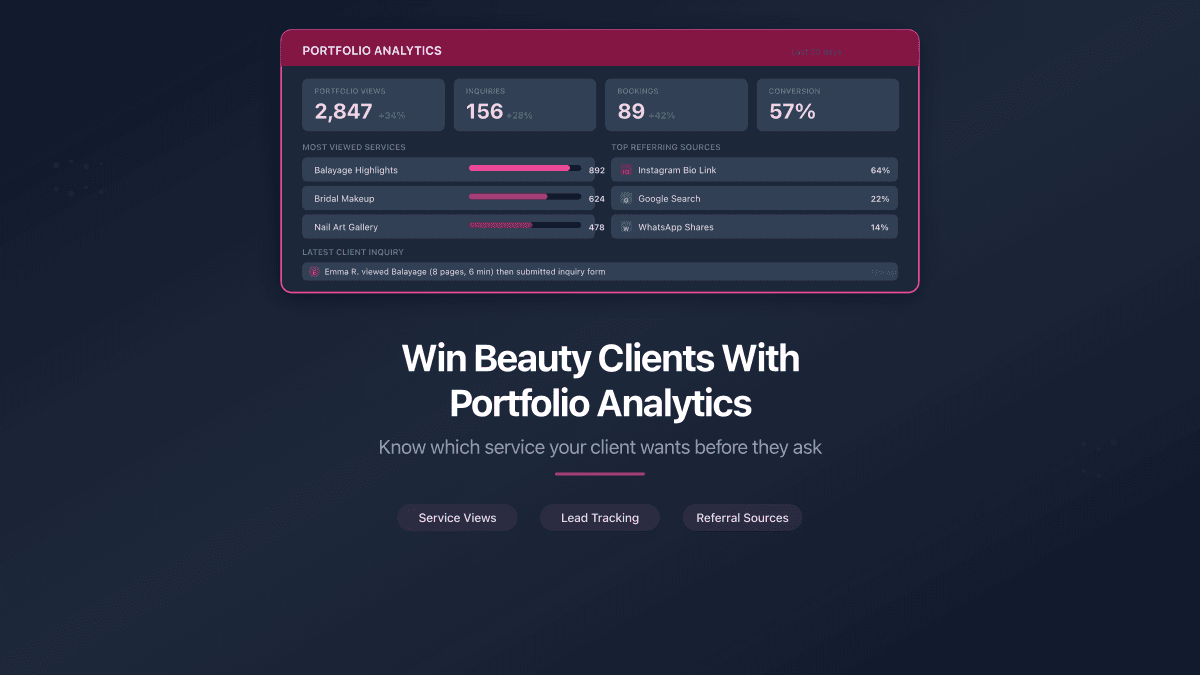
Document sharing with page-by-page analytics changes this dynamic entirely. Instead of guessing, you see exactly what happened: who opened your PDF, when, how long they spent on each page, and which sections they returned to. For beauty professionals, each page maps to a specific service, style, or price range - making the analytics immediately actionable.
What Page-Level Analytics Reveal About Client Intent
When a potential client opens your portfolio or price list, their behavior tells a story.
A bride who spends four minutes on your bridal package page and skips the editorial section is not interested in creative shoots. She wants wedding makeup. A salon visitor who lingers on the keratin treatment pricing but bounces past basic cuts is looking for premium services. A lash extension client who keeps returning to page 7 (volume sets) three separate times is comparing your price to a competitor's.
PaperLink tracks page-by-page viewing analytics for shared PDF documents, showing exactly how long each viewer spends on every page. For beauty professionals, this turns a generic "any questions?" follow-up into a specific, informed conversation.
Each page in your portfolio or price list maps to a service category. When analytics show a viewer spent 80% of their time on pages 4-6 (bridal packages), your follow-up should focus on wedding services - not your full range.
Scenario 1: A Bridal Makeup Artist Sends a Portfolio
Sofia is a freelance bridal makeup artist in Bali. She creates a 15-page portfolio PDF: pages 1-3 cover her bio and client testimonials, pages 4-8 show bridal looks by style (natural, glam, traditional), pages 9-12 feature pricing packages, and pages 13-15 include terms and booking details.
She shares the link with three prospective brides for an upcoming wedding season.
What the analytics reveal:
| Viewer | Time Spent | Focus Pages | Behavior |
|---|---|---|---|
| Bride A | 8 min | Pages 5-6 (glam looks), Page 10 (premium package) | Returned to page 10 twice |
| Bride B | 45 sec | Pages 1-2 only | Did not scroll past testimonials |
| Bride C | 12 min | Pages 7-8 (traditional looks), Pages 11-12 (mid-range + add-ons) | Viewed at 11pm, again at 7am |
Sofia now knows: Bride A wants the glam package and is checking the premium price. A direct message saying "I noticed you liked the glam bridal looks - I have a March availability that includes a trial session" will land far better than "Hi, just following up."
Bride B did not engage. No point chasing this lead - the portfolio didn't resonate, or she already found another artist.
Bride C is deeply interested in traditional looks and is actively comparing options (late-night and early-morning views signal decision mode). Sofia can reach out with a personalized offer for the mid-range traditional package with an add-on she viewed.
Scenario 2: A Salon Owner Shares a Seasonal Price List
Marcus runs a hair salon in Singapore with 8 stylists. Every quarter he updates the price list PDF (20 pages covering cuts, coloring, treatments, and packages) and shares it through the salon's Instagram bio link, WhatsApp broadcasts, and email.
The problem: he has no idea which services attract attention and which ones nobody reads.
With PaperLink, he creates three separate links for the same PDF:
- Link 1 for Instagram bio (with email gate - collects new leads)
- Link 2 for WhatsApp broadcast to existing clients (no gate)
- Link 3 for walk-in QR code at the reception desk
Analytics by channel after 30 days:
| Channel | Views | Avg. Time | Most Viewed Pages |
|---|---|---|---|
| 147 | 2 min | Balayage (p.8), Keratin (p.14), Packages (p.19) | |
| 63 | 4 min | New services (p.3), Price changes (p.5), Loyalty offers (p.20) | |
| Walk-in QR | 22 | 6 min | Full browsing - even distribution |
The data tells Marcus that Instagram followers care about premium services (balayage and keratin are the highest-margin treatments). His WhatsApp regulars want to know what changed. Walk-in clients browse everything because they are physically present and have time.
Marcus adjusts his next Instagram campaign to spotlight balayage and keratin transformations - the services his audience already cares about, confirmed by data instead of gut feeling.
PaperLink lets you create multiple links for the same file, each with different settings. One file, three channels, three sets of analytics - without duplicating the PDF.
Scenario 3: A Nail Artist Collects Leads From Instagram
Yuki is a nail artist in Tokyo with 14,000 Instagram followers. She creates a 10-page PDF lookbook of her latest designs and shares it through a PaperLink link in her bio.
She enables email verification - viewers enter their email before accessing the lookbook. This serves two purposes: she builds a contact list automatically, and she sees which designs each person viewed.
Results in two weeks:
- 89 email addresses collected (from followers who were curious enough to view the full lookbook)
- Top designs by time spent: minimalist French tips (page 3), 3D gel art (page 7), seasonal cherry blossom set (page 9)
- 12 viewers returned to the lookbook more than once - these are high-intent leads
Yuki now has a segmented lead list. She sends a targeted message to the 12 repeat viewers: "The cherry blossom set you viewed is available for booking this month - here's my schedule." The conversion rate on this message is significantly higher than a generic "book now" post to all 14,000 followers.
Scenario 4: A Beauty Educator Protects Training Materials
Elena runs a lash extension masterclass. Her training PDF (40 pages of proprietary techniques, supplier lists, and business templates) costs $200 per student. She used to share it through Google Drive - but discovered students were forwarding the link to friends who never paid.
PaperLink solves three problems at once:
-
NDA / Agreement - students must sign a confidentiality agreement before viewing the training materials. Name, email, and digital signature are recorded.
-
Download control - Elena disables downloads. Students can view the PDF in the browser but cannot save a local copy to redistribute.
-
Link expiration - access automatically closes 30 days after the course ends. No manual cleanup needed.
Elena also uses the analytics to improve her course. The heatmap shows that students spend the most time on pages 12-15 (Russian volume technique) and skip pages 28-32 (business plan templates). Next iteration, she expands the volume technique section and condenses the business templates.
The Full Client Journey in One Folder
Beauty professionals who work with high-value clients - wedding planners, corporate event coordinators, luxury spa chains - can use PaperLink's Data Room feature to organize the entire client relationship.
A Data Room is a shared folder with its own link. Inside, the client sees:
- Portfolio (your best work, tailored to their event type)
- Price list (current season)
- Contract or NDA (with signature requirement)
- Invoice (generated inside PaperLink with payment tracking)
One branded link replaces four separate attachments. The client navigates a clean Data Room instead of digging through email threads. You get folder-level analytics showing which documents they opened and in what order.
Use a custom domain to share from docs.yourstudio.com instead of a generic URL. Combined with a welcome message, the experience feels fully branded from the moment the client opens the link.
The Portfolio Website Trap: Months of Work for the Same Result
The conventional advice for beauty professionals is to build a portfolio website. Buy a domain ($12/year). Pick a hosting provider ($5-30/month). Design the site on Squarespace or Wix ($16-45/month). Connect Google Analytics. Learn to read GA4 reports. Set up event tracking. Maintain the site. Update the design when trends change.
Total cost: $300-800 per year, plus dozens of hours learning web tools that have nothing to do with your craft.
And what do you get? Anonymous visitor counts. Bounce rates. Session duration averages. No names. No emails. No way to tell which specific visitor looked at which specific page of your portfolio.
With PaperLink, you upload a PDF, get a link, and share it. Two minutes. The free plan includes full page-by-page analytics with viewer identification. No domain to buy, no site to maintain, no analytics platform to learn.
| Portfolio Website | PaperLink | |
|---|---|---|
| Time to launch | Weeks to months | 2 minutes |
| Annual cost | $300-800 | Free (Free plan) |
| Who viewed | Anonymous GA4 stats | Specific email, country, device |
| Which page they read | Not tracked per visitor | Page-by-page heatmap per viewer |
| Time on each page | Aggregate bounce rate | Seconds per page per viewer |
| Return visits | Not tracked per visitor | Every return visit logged |
| Content protection | None (everything is public) | Password, NDA, email gate, expiration |
| Invoicing | Separate tool needed | Built in |
A portfolio website and PaperLink are not mutually exclusive - many beauty professionals use both. The website serves as a public storefront. PaperLink serves as the tracked, controlled channel for serious client conversations where you need to know exactly who is engaging with your work.
PaperLink Features That Matter for Beauty Professionals
| Feature | Beauty Use Case |
|---|---|
| Page heatmap | See which styles, services, or price ranges clients focus on |
| Email gate | Collect lead contacts from portfolio viewers automatically |
| Multiple links | One price list, separate links per channel (Instagram, WhatsApp, email) |
| Welcome message | "Hi Sarah, here's your personalized bridal package" |
| Password protection | Exclusive lookbooks for VIP clients |
| NDA / Agreement | Protect training materials and proprietary techniques |
| Download control | Prevent unauthorized redistribution of course content |
| Link expiration | Seasonal price lists auto-deactivate after the deadline |
| Custom domain | Share from docs.yoursalon.com for a branded experience |
| Invoicing | Bill clients with professional invoices and track payments |
| Data Room | Organize portfolio + contract + invoice in one shared folder |
| AI Insight | "Viewer returned to page 7 three times - she is comparing volume lash prices" |
Start With a Free Portfolio Link
PaperLink's free plan includes document uploads, sharing links, and full viewing analytics. No credit card required.
Upload your portfolio or price list as a PDF, share the link, and see exactly how your next client interacts with your work. The data will change how you follow up - and how often you close.