A prospect opened your pitch deck at 2:47 PM on Tuesday. They spent 11 minutes on it, re-read the pricing section twice, and came back the next morning for another look. You found out about this on Thursday, when you remembered to check the analytics dashboard.
By then, the moment had passed.
Document engagement is a buying signal with a short half-life. When someone is actively reading your proposal - scrolling through pricing, forwarding it to a colleague, returning to it a second time - that is the moment to reach out. Not two days later.
PaperLink now sends real-time Slack notifications the moment your shared documents receive meaningful engagement. No Zapier workflows. No webhooks. No third-party automation to configure or maintain.
How It Works
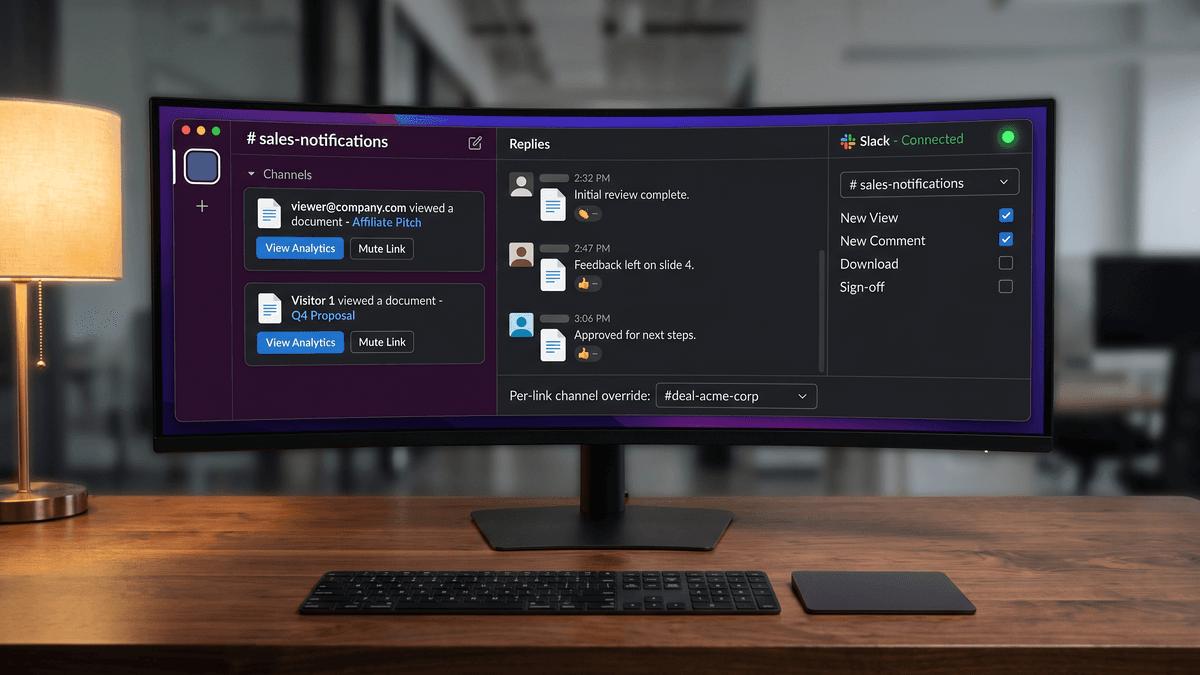
Connect your Slack workspace from Settings - Integrations - Slack. The standard OAuth flow takes about 30 seconds. After connecting, choose a default Slack channel where notifications will appear - a shared sales channel, a private deal channel, or your own direct messages.
From that point, every significant interaction with your shared links triggers a Slack message. The notification shows who interacted (by email if known, by visitor number if anonymous), what they did, which document was involved, and a timestamp. Two action buttons appear on every notification: View Analytics to open the full interaction history in PaperLink, and Mute Link to stop notifications for that specific link without disconnecting Slack.
Only OWNER and ADMIN roles can connect or configure the Slack integration. Once connected, it applies to the entire team's shared links.
One Thread Per Visitor, Not One Message Per Event
Most notification systems send one message per event. A prospect who views your document three times and downloads it generates four separate Slack messages in quick succession. After a few active prospects, your channel becomes difficult to read.
PaperLink handles this differently.
When the same visitor triggers multiple events within a 15-minute window, PaperLink updates the original Slack message rather than posting new ones. The single message accumulates all the activity from that session - you see the full picture in one place.
When the same visitor returns after a gap longer than 15 minutes - a new reading session - PaperLink posts a reply in the thread of the original notification. Your channel stays clean. The complete interaction history for each visitor lives in a single thread, ordered by visit.
The first time a visitor opens a document, a top-level message appears in your channel. Every subsequent visit from that person becomes a thread reply. A channel that handles 20 active prospects stays readable.
Knowing Who Is Reading
When a viewer comes through an email gate or logs into their PaperLink account, their email address appears directly in the Slack notification. You know exactly who it is.
For anonymous viewers - someone who received a public link and opened it without identifying themselves - PaperLink assigns a stable sequential number: Visitor 1, Visitor 2, and so on. The numbering is per link. The same anonymous visitor receives the same number across multiple visits, so you can track their engagement over time even without knowing their identity.
No raw technical identifiers appear in notifications. Visitor 1 is more useful than a hash, and more honest than pretending you know who the person is.
Eight Event Types, Each Independently Configurable
Not every interaction deserves the same level of attention. PaperLink lets you configure which of eight event types trigger Slack notifications, independently:
- Document viewed (first time)
- Document viewed (returning visit)
- Document downloaded
- NDA or agreement signed
- Email opened
- File uploaded to a data room collection
- Link clicked inside the document
- High engagement alert
"Document viewed (first time)" and "Document viewed (returning visit)" are separate toggles. A sales team in active deal conversations might want returning-visitor alerts without being notified every time a new cold outreach recipient opens a link.
The eight event types cover the full engagement arc - from an initial document open through to a signed agreement.
Route High-Priority Deals to Their Own Channel
Your default channel handles routine notifications across all your shared links. But a major enterprise deal is not routine.
For any individual link, OWNER, ADMIN, and MANAGER roles can set a per-link channel override in Link Settings. Notifications for that specific link go to the chosen channel rather than the team default. If no override is set, the team default applies.
For a significant deal, create a dedicated Slack channel - something like "#deal-acme" - and route the document link for that prospect to it. Everyone working on the deal sees every interaction as it happens, in one focused place.
How PaperLink Compares to Alternatives
DocSend, the leading document analytics platform, does not have a native Slack integration. Getting DocSend notifications into Slack requires a Zapier account, a configured Zap, and ongoing maintenance if either service changes its API. The Zapier approach works, but it adds a dependency and delivers basic visit events without session context.
PandaDoc has a native Slack app. Its notifications focus on signature and payment lifecycle events - document sent, viewed, signed, paid - which suits contract workflows but does not cover the detailed view analytics that matter for sales engagement tracking.
| Feature | PaperLink | DocSend | PandaDoc |
|---|---|---|---|
| Native Slack app (no Zapier) | Yes | No | Yes |
| View analytics in notification | Yes | Basic | No |
| Session threading (updates in place) | Yes | No | No |
| Thread replies for return visits | Yes | No | No |
| Anonymous visitor numbering | Yes | No | No |
| Per-link channel override | Yes | No | No |
| Event type toggles | 8 types | Limited | Lifecycle only |
What Teams Use This For
Sales teams get notified when a prospect opens a proposal the day after a meeting. A follow-up call placed while the prospect is still reading converts differently than one placed two days later.
Investor relations teams see when a potential investor opens the pitch deck and which sections they spend time on - before sending a meeting request makes sense.
Legal and compliance teams receive alerts when a counterparty accesses a data room document or signs an agreement.
Account managers track whether a renewal proposal was actually read before the contract expiration conversation.
In each case, the pattern is the same: an engagement signal that used to surface 24-48 hours later in an analytics dashboard now appears in the tool where the team already works, at the moment it is actionable.
Connect Slack in Two Minutes
Slack notifications are available on all PaperLink plans. Connect from Settings - Integrations - Slack, choose your channel, and configure which of the eight event types you want to track.
The next time someone opens one of your shared documents, you will know before they close the tab.
Related
- Connect Slack for Real-Time Notifications - step-by-step setup guide with all configuration options
- Send Email Notifications When Sharing Documents - email alerts alongside or instead of Slack
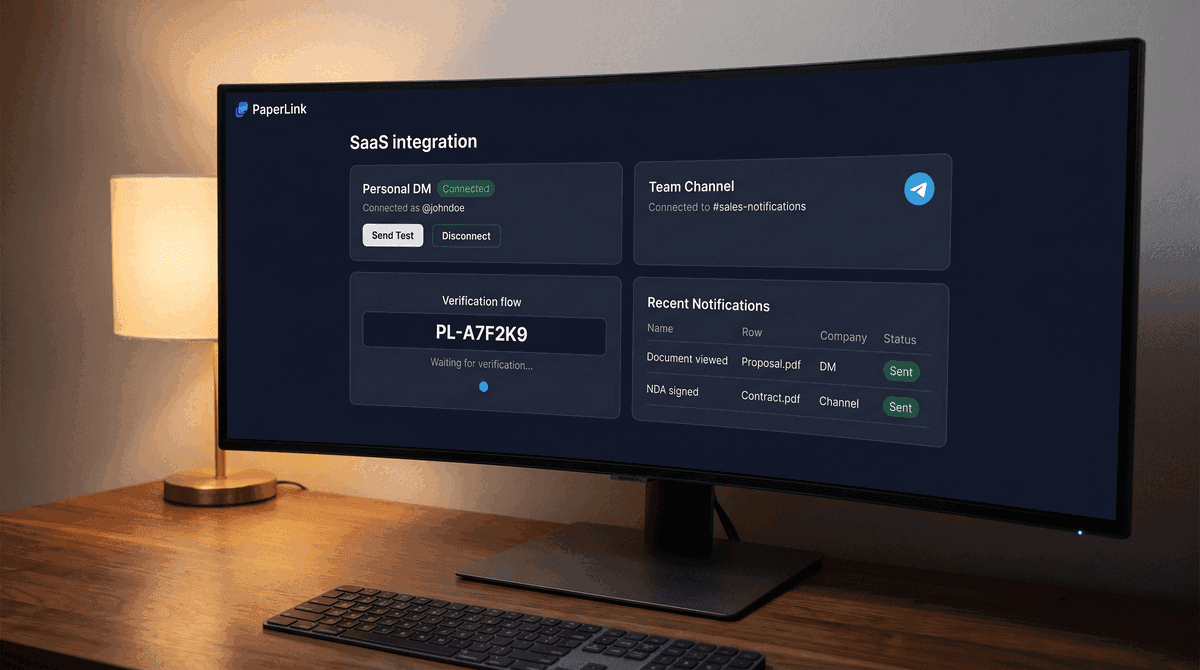
- Real-Time Telegram Notifications for Document Views - the same instant alerts delivered to Telegram instead of Slack
- Manage Link Settings - full reference for access control, download permissions, and link-level channel overrides