Document Sharing Tools Range from Free to Hundreds Per Month
As of 2026, document sharing platforms with analytics vary widely in price - from a few dollars per month to several hundred for enterprise features. Some offer permanent free plans with page-level tracking, viewer identification, and access controls. Others limit free usage to short trials.
If you need document analytics - who viewed your file, which pages they read, how long they spent - you have options at every price point. This comparison covers the most common platforms and what each one offers.
PaperLink
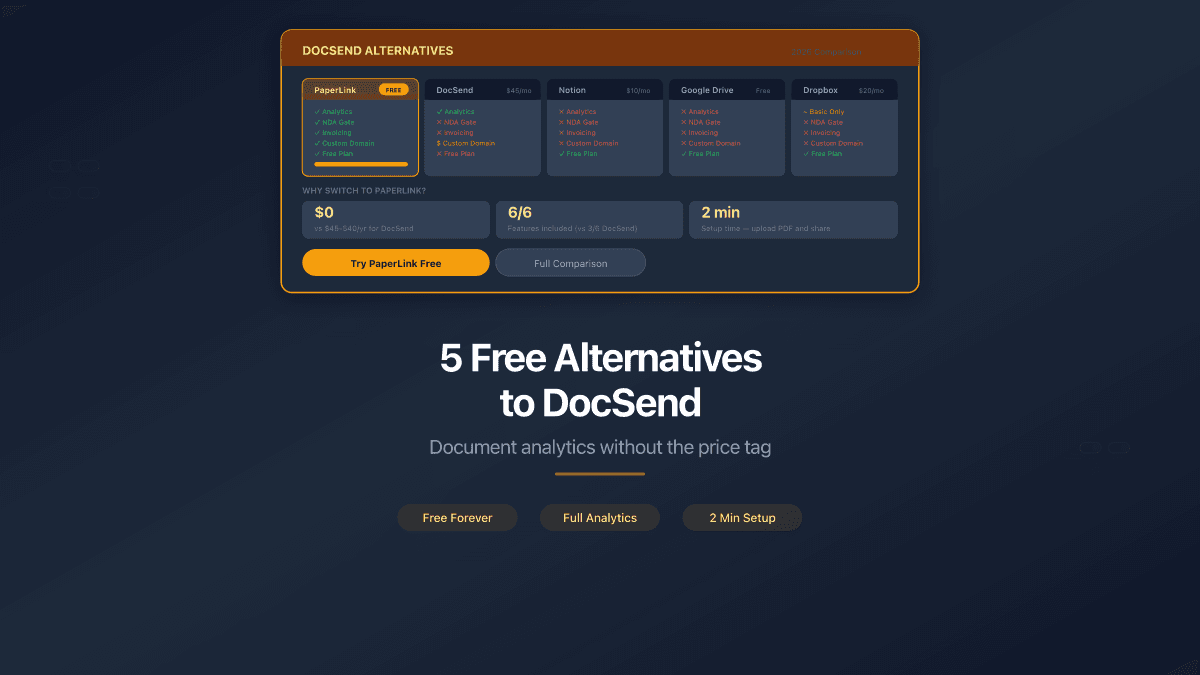
PaperLink combines document sharing with built-in invoicing and estimates. The free plan includes page-by-page analytics, password protection, email verification, agreement/NDA gates, download control, custom URL slugs, and multi-currency billing. No other document sharing platform includes invoicing. Markdown and Claude artifact import convert content to trackable PDFs. For a detailed feature comparison, see DocSend vs PaperLink.
Papermark
Papermark - open-source document sharing infrastructure with smart data rooms and page-by-page analytics. Self-described as the "#1 alternative to DocSend." The cloud free plan includes 50 documents, 50 links, unlimited visitors, password protection, and email capture. Open-source under AGPLv3 - you can self-host the core version.
DocSend
DocSend - secure document sharing and analytics platform, owned by Dropbox. Offers page-level tracking, eSignature, virtual data rooms, and CRM integrations with Salesforce and HubSpot. No permanent free plan - only a 14-day trial limited to 5 documents and 10 links. Pricing starts at $10 per user per month.
Pitch
Pitch - the AI presentation platform that helps professionals collaborate on, create, and deliver winning slide decks while staying on brand. Free plan includes unlimited presentations and up to 5 team members. Slide-level engagement analytics, password protection, and email capture require the Team plan.
DocBeacon
DocBeacon - secure document sharing with document tracking and engagement analytics. "Stop guessing whether your documents are being read. See who opened them, how they engaged, and where attention drops." Free plan available with basic analytics and repeat visit detection.
PDF Trackr
PDF Trackr - track PDF views, capture emails, and control access with a secure sharing platform. Built for consultants, solopreneurs, and small teams who need professional document insights. Free plan includes page-by-page analytics, password protection, and email gating.
Google Drive
Google Drive - cloud file storage and sharing from Google. Supports any file format with 15 GB free storage. No document analytics - you cannot see who viewed a file, which pages they read, or how long they spent. No password protection, email verification, or access gating on shared links.
Dropbox
Dropbox - cloud storage and file sharing platform. Supports download tracking on Professional and team plans. No page-level analytics, no email verification, no NDA gates. The free plan includes 2 GB storage with basic sharing controls.
Notion
Notion - connected workspace for docs, wikis, and projects. Supports sharing pages via public links. No document analytics, no password protection on shared pages, no email gating. Not designed for document tracking or secure file sharing.
Which One Should You Choose?
You share pitch decks with investors and want free analytics. Papermark. 50 documents and 50 links with page-level tracking on the free plan. Self-hostable under AGPLv3 if you need full control.
You create presentations natively and want a collaborative slide editor. Pitch. The free plan is excellent for creating presentations with a team. Analytics and sharing controls require the Team plan.
You share documents, need full sharing controls, and invoice the same clients. PaperLink. Password protection, email verification, NDA gates, and download control - all on the free plan. Plus built-in invoicing that no other document sharing platform offers.
You run deals or fundraising and need to spot high-intent readers. DocBeacon. Repeat visit detection helps prioritize which investors or buyers to follow up with first. The free plan has document limits.
You send occasional PDFs and want the simplest possible tracking. PDF Trackr. Upload, share, see if they read it. Password protection and email gating included free.
Most of these tools offer free plans generous enough for solo founders and small teams. Start with the one that matches your primary workflow - you can always switch later since your documents are portable PDF files.
Beyond Free: When to Pay
Free plans cover the basics. You hit their limits when you need:
- Team collaboration - multiple users managing shared documents
- Custom branding - remove third-party branding from shared links
- Custom domains - share from your own domain
- Advanced security - watermarking, granular permissions
- CRM integrations - sync with Salesforce or HubSpot
If your primary need is "share a document and know who read it," a free plan from any tool on this list gets you there without spending a dollar.
Try PaperLink free - or start with any tool that fits your workflow. The point is to stop sending blind email attachments.
See the full PaperLink vs DocSend comparison for a side-by-side feature and pricing breakdown.