Your bank app shows spending on one card. Your salary lands in a different account. Cash purchases vanish from memory. And that crypto wallet? Invisible to everything else.
Most people track expenses in one of three ways: they don't, they use a spreadsheet that falls apart by February, or they pay for an app that nags them to upgrade every time they open it.
PaperLink includes a full expense tracker - free to start, no ads, no forced subscriptions.
Why Most Free Trackers Fall Short
The market splits into two camps. Spreadsheet templates give you full control but demand manual entry for every transaction and zero automation. Apps promise to simplify things but lock useful features behind paywalls or fill your screen with ads between every tap.
The truly free apps tend to be single-purpose. They track spending but cannot handle multiple accounts, transfers between wallets, or multi-currency entries. The moment you need to record a transfer from your bank to your crypto wallet in a different currency, most free tools stop being useful.
PaperLink takes a different approach. The expense tracker is part of a larger platform, which means you get a capable financial tool without it needing to be the sole revenue driver. No ads. No upgrade walls on core tracking features.
What You Get
Eight Account Types
Set up accounts that match how you actually manage money:
| Type | Examples |
|---|---|
| Bank | Checking, savings, credit cards |
| Cash | Physical wallet, petty cash |
| E-Wallet | PayPal, Venmo, Wise |
| Crypto | Bitcoin, Ethereum wallets |
| Investment | Brokerage, retirement accounts |
| Loan | Mortgage, car loan, student debt |
| Other | Gift cards, store credit |
Each account tracks its own currency and running balance. You can exclude specific accounts from your total balance calculation - useful for loan accounts where a negative number would skew the overview.
100+ Pre-Built Categories
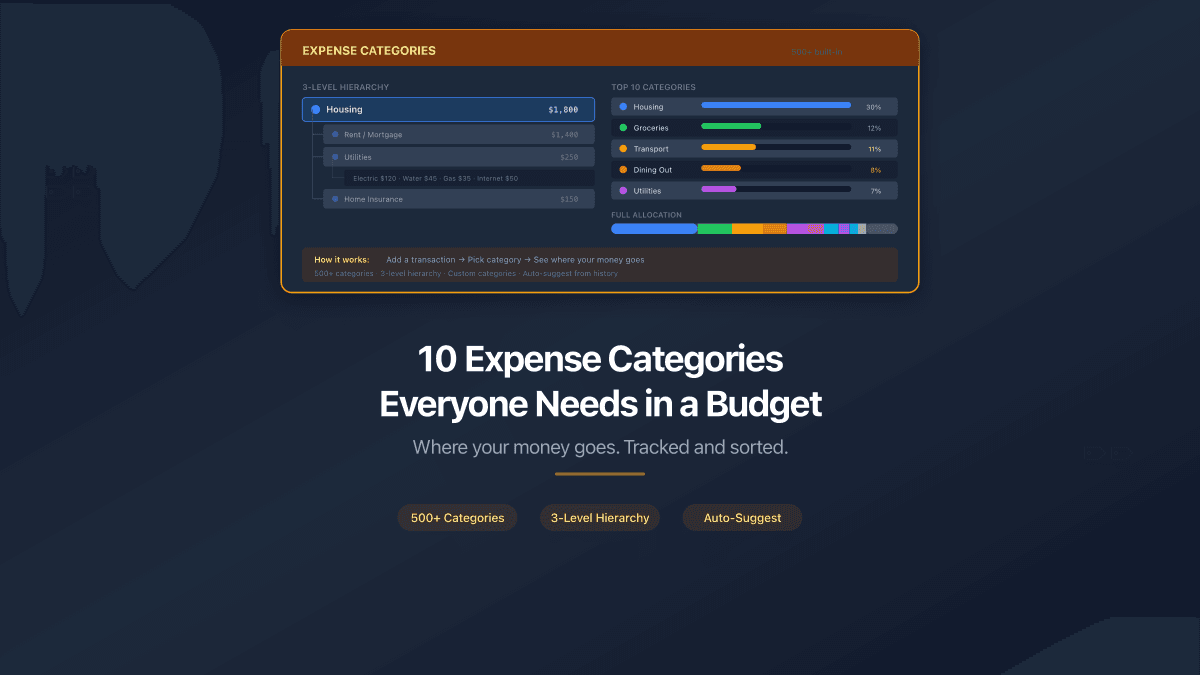
Every new workspace starts with a full category tree - three levels deep, covering everything from housing and utilities to freelance income and crypto capital gains.
Expense categories include housing, utilities, transportation, food, healthcare, personal care, insurance, children, pets, education, entertainment, travel, and gifts. Each top-level category branches into specific subcategories. "Transportation" covers vehicle ownership (lease, insurance, registration), operating costs (fuel, maintenance), parking, tolls, and public transit. "Utilities" breaks down into electricity, water, internet, phone, streaming services, and web hosting.
Income categories cover employment, freelance work, business revenue, digital products, investments, rental income, government benefits, and more. Sell courses on Gumroad, earn from a YouTube channel, or collect dividends from index funds - there is a category ready for each.
You can rename, reorganize, or archive any category. The defaults exist so you never have to build a system from scratch.
Uncategorized transactions get their own bucket. Categorize them later without losing any data.
Transfers Between Accounts
Moving money from your bank to your crypto wallet is a transfer, not an expense. PaperLink tracks transfers as a distinct transaction type, linking both sides automatically. Your bank balance goes down, your wallet balance goes up, and your total stays accurate.
Multi-currency transfers include exchange rate tracking. Send USD from your bank and receive EUR in your PayPal - PaperLink records both amounts and the rate between them.
Analytics by Category
See where your money actually goes. Filter transactions by category, account, date range, or type. The breakdown reveals spending patterns you probably suspect but have not confirmed - how much dining out costs per month, whether your subscription stack has quietly grown past what you intended, which income streams are growing and which have stalled.
How to Start Tracking
Setup takes about five minutes:
- Create an account at app.paperlink.online. No credit card needed.
- Add your financial accounts - bank, cash, e-wallet, whatever you use. Set the currency and starting balance for each.
- Log your first transaction. Pick expense, income, or transfer. Enter the amount, choose a category from the pre-built list, and save.
- Keep going. The autocomplete feature remembers previous entries - type two characters, and PaperLink suggests matching transactions with the amount, account, and category pre-filled.
No bank linking required. No verification. No waiting period.
PaperLink's autocomplete learns from your transaction history. The more entries you record, the faster data entry becomes. Most recurring expenses need just two keystrokes and a click.
Personal and Team Accounting
The same tool works in two modes:
- Personal - your accounts, your transactions, visible only to you. Track personal spending, side income, and savings across any number of accounts and currencies.
- Team - shared accounts for a business, household, or project. Team members see team transactions. Personal data stays completely private.
Data is strictly isolated. Personal transactions never appear in team views. Team data from one workspace never leaks into another.
FAQ
Is the expense tracker really free?
Yes. The free plan includes accounts, categories, transactions, transfers, and analytics. No trial period, no time limit.
What are the limits?
The free plan includes a generous transaction allowance for personal use. If you need higher volume for business accounting or heavy daily tracking, affordable paid plans remove that cap.
Can I track multiple currencies?
Yes. Each account has its own currency. Transfers between accounts with different currencies track the exchange rate and both amounts. Use USD for your bank, EUR for PayPal, UAH for cash, and BTC for crypto - all in the same workspace.
Do I need to connect my bank?
No. PaperLink uses manual entry with smart autocomplete. You control exactly what gets recorded. No bank credentials shared, no third-party data access, no sync issues.
Can I use it on mobile?
PaperLink is a web application that works in any modern browser on any device. No app download needed - open the site, log in, and track.
Is my financial data private?
Your data is encrypted and stored securely. Personal transactions are visible only to you. Team transactions are visible only to team members. There is no cross-account data access.
Start Tracking Your Expenses
You already know where your money should go. The gap is knowing where it actually goes. A few minutes of setup, a few seconds per transaction, and that gap closes.
Create your free account and start tracking today.
PaperLink is also a document sharing platform. Send proposals, invoices, and presentations with built-in analytics - see who viewed your documents, which pages held their attention, and how long they spent reading. Learn more about document sharing.
Related articles:
- How to Budget - A Complete Beginner's Guide - budgeting methods, categories, and tools
- Freelancer Finance Guide - how to manage finances with irregular income