Your Phone Camera Is Now a Bookkeeper
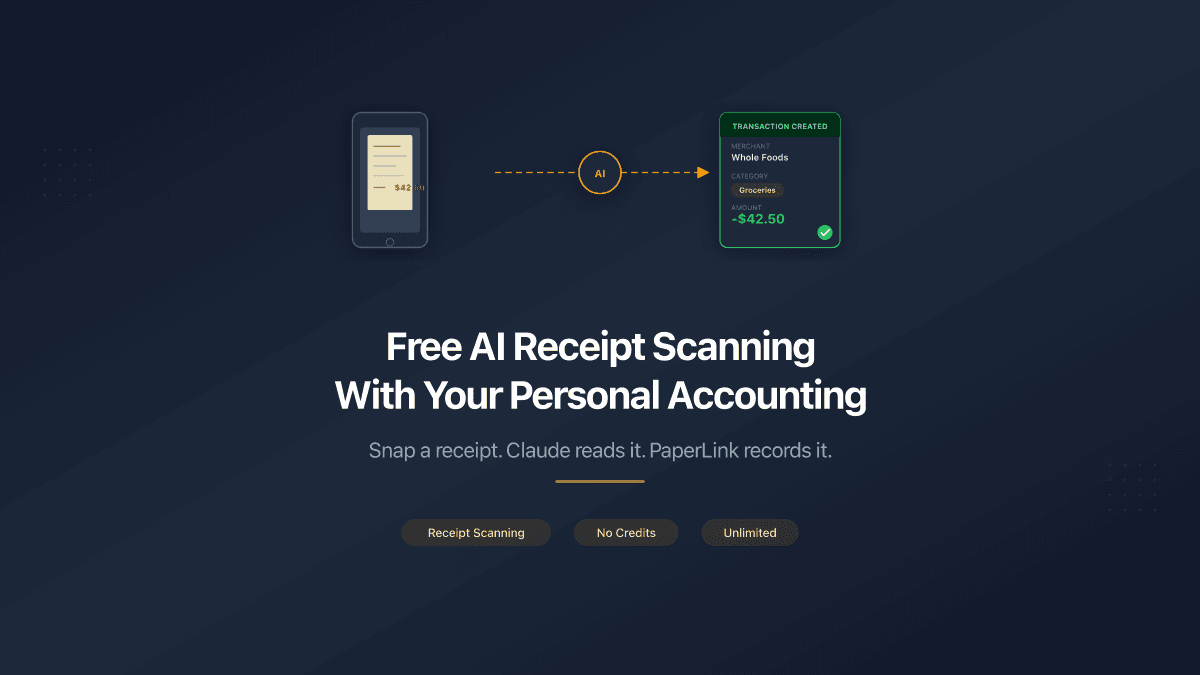
Take a photo of a grocery receipt. Send it to Claude. PaperLink reads the amount, picks the category, and creates a transaction in your personal ledger. Done.
No app to install. No credits to buy. No "5 free scans, then $0.20 each." The AI connection is free - you only pay for the accounting subscription if you want one.
This works today, right now, through the PaperLink MCP connector on Claude.
How It Works
Claude is a multimodal AI - it can read images natively. When you send a receipt photo, Claude extracts the merchant name, date, total amount, and individual line items. Then it calls PaperLink's create-transaction tool to record the expense with the right category and account.
Here is what that looks like in practice:
- Snap a photo of your receipt (phone camera, screenshot, or scanned PDF).
- Send it to Claude with something like "add this receipt to my expenses."
- Claude reads the receipt, extracts the data, and suggests a category.
- You confirm - Claude shows you the amount, category, and account before saving.
- Transaction created in PaperLink. Categorized, dated, linked to the right account.
The entire process takes about 10 seconds.
Claude always asks for confirmation before creating a transaction. You see the amount, category, and account - and can change any of them before saving.
What About Batch Receipts?
Got a stack of receipts from a business trip? Send them all at once. Claude processes each one and uses create-transactions to batch-create them in a single operation. Same confirmation step - you review the full list before anything is saved.
What Other Apps Charge for This
The top personal finance apps charge $10-15/month and none of them scan receipts from photos:
| App | Monthly price | AI receipt scanning |
|---|---|---|
| YNAB | $14.99 | No |
| Monarch Money | $14.99 | No |
| Copilot | $13.00 | AI categorization, no photo scanning |
| Quicken Classic | $5.99-11.99 | No |
| Empower | Free | No |
Dedicated receipt scanning apps do exist, but they charge per scan or per page:
| App | Free tier | Paid plans |
|---|---|---|
| Expensify | 25 scans/month | $10-18/user/month (unlimited scans) |
| ReceiptsAI | 30 credits | $12/month (100 pages) or $29/month (500 pages) |
| SparkReceipt | Limited scans | From $6.58/month (early bird annual) |
| Zoho Expense | 20 scans/month | Varies by region |
Two separate subscriptions - one for budgeting, one for receipt scanning - and you are already at $20-30/month. Or you can connect PaperLink to Claude and get both for free.
PaperLink works differently.
Why PaperLink's AI Scanning Is Free
PaperLink does not run its own receipt scanning service. The AI processing happens entirely inside Claude - Anthropic's model reads the image and extracts the data. PaperLink's MCP server only receives the structured result (amount, category, date) and creates the transaction.
That means:
- No OCR infrastructure for PaperLink to maintain or pay for
- No per-scan cost to pass on to you
- No credit system - scan 5 receipts or 500, same price
- Claude handles the AI - including multi-language receipts, handwritten amounts, and faded text
The MCP connector itself is free on any PaperLink plan, including Free. You need a Claude account (free tier works), and PaperLink's accounting features to store the transactions.
PaperLink Accounting Plans
The AI connector is free on every plan, including Free.
- Free - 100 personal transactions. Enough to try receipt scanning for a few weeks and see if it fits your workflow.
- Accounting plans (Personal, Self-Employed) - unlimited transactions for home bookkeeping and freelancers. See pricing.
- Pro - the full platform with invoicing, clients, products, and accounting included.
Regional pricing is available - check paperlink.online/pricing for your local price.
PaperLink's personal accounting tracks expenses across multiple accounts and currencies. Add your bank accounts, cash wallet, and credit cards - then categorize transactions from any source, not just receipts.
Beyond Receipts
The AI connection does more than scan receipts. Through Claude, you can:
- Ask questions - "How much did I spend on groceries this month?"
- Create transfers - "Move $500 from checking to savings"
- Review categories - "Show me all uncategorized transactions"
- Track balances - "What is my Monobank account balance?"
All through natural language, on your phone or desktop. The full tool list covers invoicing, clients, products, and estimates too - 70+ tools in total.
Get Started
- Create a PaperLink account (free).
- Connect the AI assistant on Claude.
- Take a photo of a receipt and send it to Claude.
No setup wizards. No credit card required. No scanning limits.
Related
- Connect PaperLink to Your AI Assistant - step-by-step setup guide
- PaperLink MCP Server: 25 Tools for AI-Powered Business - full tool overview
- Connect Your AI Assistant to PaperLink - covers Claude Code and Cursor