What Is Document Analytics?
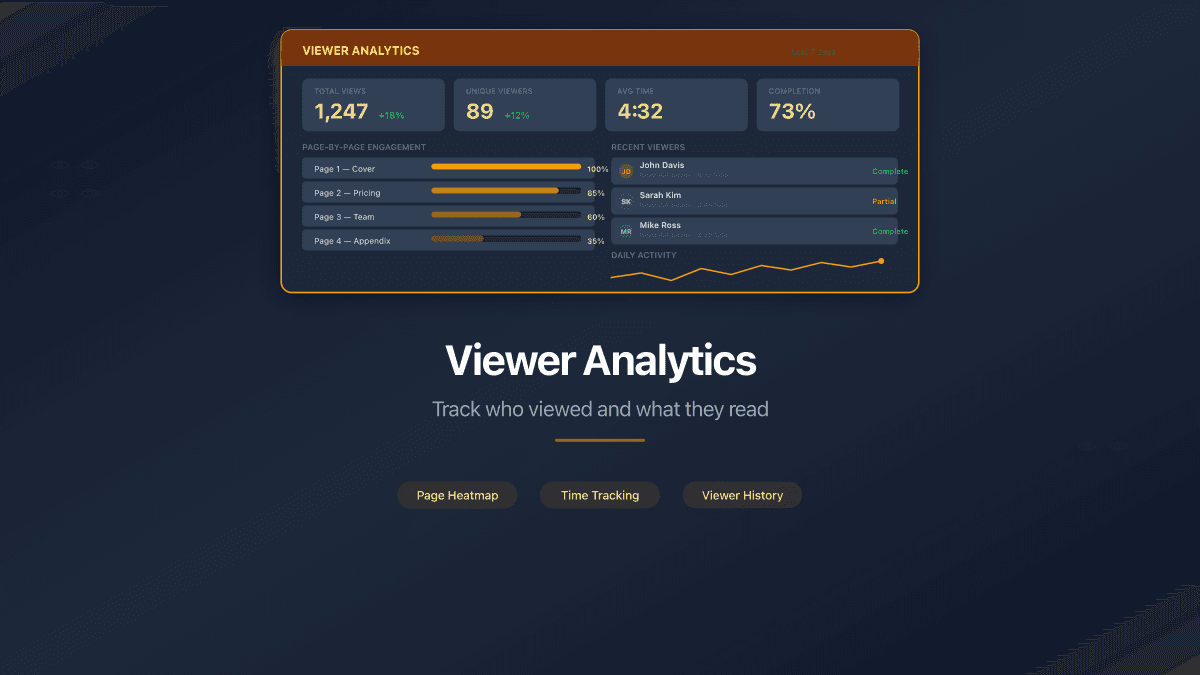
Document analytics is the practice of tracking how recipients interact with shared documents. As of 2026, document analytics platforms like PaperLink provide page-by-page engagement data including viewer identity, time spent per page, completion rate, device type, geographic location, and download activity. This data helps sales teams, founders, and legal professionals understand exactly how their documents are consumed.
Why Does Document Analytics Matter?
Traditional document sharing through email attachments or cloud storage links provides zero visibility into what happens after you send a file. You do not know if the recipient opened it, which sections they focused on, or whether they forwarded it to someone else.
Document analytics closes this gap. When you share a document through an analytics platform, every interaction is tracked:
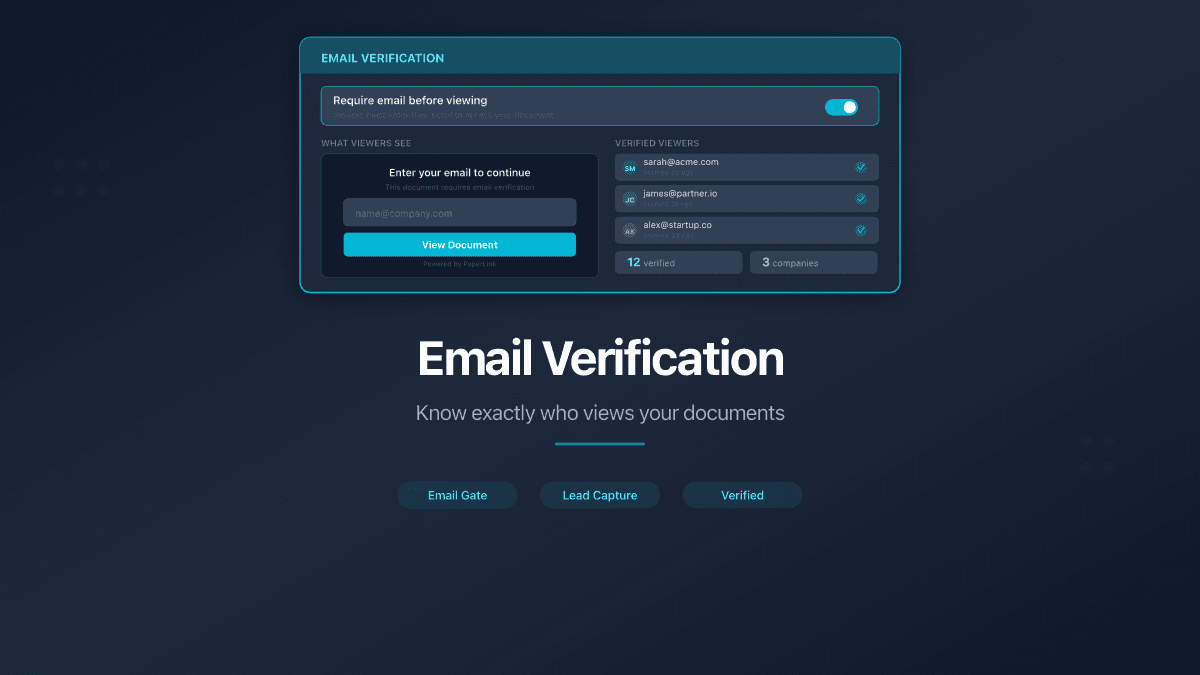
- Who viewed it - viewer identity captured through email verification or login
- Which pages they read - page-by-page engagement heatmap
- How long they spent - total session duration and time per page
- Whether they downloaded - download events logged with timestamp
- Where they viewed from - country and device type detected automatically
- How many times they returned - return visit tracking across sessions
What Are the Key Metrics in Document Analytics?
| Metric | What It Measures | Why It Matters |
|---|---|---|
| Views | Total number of times the document was opened | Indicates overall interest level |
| Unique Visitors | Distinct people who viewed the document | Filters out repeat views from the same person |
| Completion Rate | Percentage of pages viewed out of total | Shows how much of the document was consumed |
| Average Duration | Mean time spent across all sessions | Distinguishes skimmers from careful readers |
| Page Engagement | Time spent on each individual page | Reveals which sections capture attention |
| Downloads | Number of times the file was saved | Signals high intent to reference later |
Who Uses Document Analytics?
Sales teams share proposals and track which prospects engage most deeply. A prospect who spends 8 minutes on the pricing page signals higher buying intent than one who closes after the introduction.
Startup founders share pitch decks with investors and track engagement page by page. Knowing that a VC partner spent 4 minutes on the financial projections - but skipped the team slide - helps prioritize follow-up conversations.
Law firms share contracts and compliance documents with clients. Analytics prove that a client received and reviewed specific pages, creating an audit trail for regulatory requirements.
HR departments distribute policy documents and training materials. Page-level tracking confirms that employees read mandatory compliance sections, not just opened and closed the file.
Consultants share deliverables with clients. Time-spent analytics show that the client thoroughly reviewed the recommendations section, justifying the engagement's value.
How Does Document Analytics Work?
Document analytics platforms convert uploaded files into web-based viewers. Instead of sending a downloadable attachment, you share a link. When the recipient opens the link, the platform tracks their interaction in real time.
The typical workflow:
- Upload a document to the platform
- Create a sharing link with optional access controls (password, email verification, NDA)
- Share the link with your recipient via email, Slack, or any messaging tool
- Monitor the analytics dashboard to see viewer activity as it happens
- Act on the data - follow up with engaged viewers, resend to those who have not opened
Most platforms provide a browser-based document viewer that renders pages like a standard PDF reader. The viewer captures scroll position, page transitions, and time on each page without requiring any software installation from the viewer.
What Are Access Controls in Document Analytics?
Access controls determine who can open a shared document link and what they can do with it. As of 2026, leading document analytics platforms offer these controls:
- Password protection - viewers enter a password before accessing the document
- Email verification - viewers provide their email address, which appears in analytics
- Login requirement - only registered users can view the document
- NDA/Agreement gate - viewers must accept a legal agreement before accessing content
- Link expiration - the link stops working after a specified date
- Download control - enable or disable the ability to save the original file
- Custom URL - replace auto-generated URLs with branded, memorable paths
How Is Document Analytics Different from Google Analytics?
Google Analytics tracks website visitors. Document analytics tracks document readers. The key differences:
| Feature | Google Analytics | Document Analytics |
|---|---|---|
| What it tracks | Website page views, sessions, conversions | Document page views, reader identity, time per page |
| Viewer identity | Anonymous unless logged in | Captured via email verification or login gate |
| Page-level detail | URL-based (each webpage is a page) | Page number within a single document |
| Access controls | None (websites are public) | Password, email, NDA, expiration |
| Use case | Marketing, SEO, conversion optimization | Sales, fundraising, legal, compliance |
What Is a Virtual Data Room?
A virtual data room is a secure folder of documents shared through a single link with access controls and analytics. Data rooms are used for due diligence, fundraising, M&A transactions, and any scenario where external parties need controlled access to multiple files.
Document analytics in a data room aggregates engagement across all files - total views, unique visitors, per-document breakdown, and which files received the most attention. This helps deal managers prioritize follow-ups and identify which documents require clarification.
How to Choose a Document Analytics Platform
When evaluating document analytics tools, consider these factors:
- Free plan availability - some platforms offer analytics on free plans, others require payment
- Page-level tracking - basic tools show view counts; advanced tools show per-page engagement
- Access control depth - password, email, NDA, login, expiration, download control
- Custom branding - custom domains and URL slugs for professional appearance
- Integration options - API access, Slack notifications, CRM integrations
- Data room support - folder sharing with aggregated analytics
- Pricing transparency - per-user vs flat rate, monthly vs annual
As of 2026, platforms like PaperLink, DocSend, Papermark, and Digify are the most commonly used document analytics tools. PaperLink offers all access controls on the free plan with page-by-page analytics, custom domains, built-in invoicing, and a public REST API.
Related
- Track Who Viewed Your Shared Documents - detailed guide to PaperLink's analytics dashboard
- Virtual Data Rooms: Organize Documents for Due Diligence - when and how to use data rooms
- Set Up a Data Room - step-by-step data room creation guide
- Understand Viewer Analytics - what each metric means in PaperLink