
Set Up Your Company
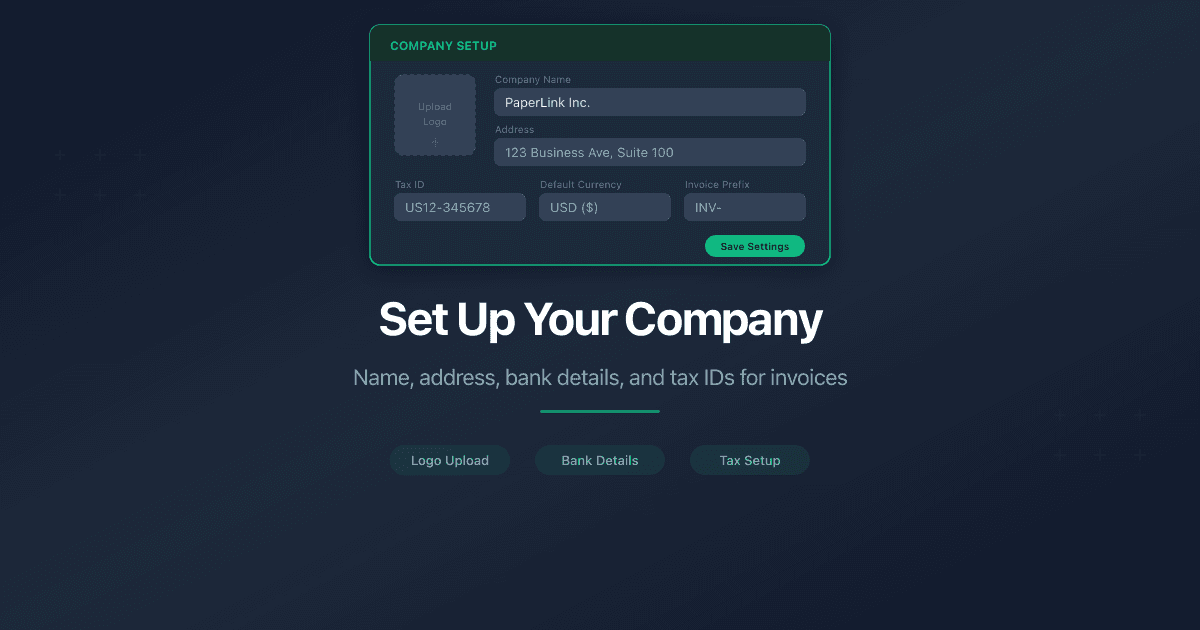
How Do I Set Up My Company?
A company in PaperLink is the legal entity that appears on your invoices and estimates - your business name, address, bank details, and tax information. Fill in as much or as little as you need.
Steps
- Open Companies from the sidebar.
- Click New Company in the top-right corner, or open an existing company (PaperLink creates My Company during onboarding).
- Fill in the fields across eight tabs.
- Click Save at the bottom of the last tab.
Only Company Name is required. All other fields are optional - fill them in when you need them on your invoices.
Form Tabs
Basic Information - company name and default currency.
- Company Name - the legal name that appears on invoices and estimates.
- Base Currency - the default currency for new invoices created under this company.
Contact Information - how clients reach you.
- Phone - your business phone number.
- Email - your business email. PaperLink suggests common domain completions as you type.
Address - your registered business address. Appears on invoices.
- Street Address, City, State, ZIP Code, Country.
- State accepts both abbreviations (NY) and full names (New York).
Legal & Registration - your business structure and registration.
- Legal Entity Type - select from: Sole Proprietorship, LLC (Single-Member or Multi-Member), C-Corporation, S-Corporation, Partnership, Limited Partnership, Non-Profit Organization, or Cooperative.
- Registration Number - your state or federal registration number.
- DBA Name - trade name or assumed name, if different from your legal name.
- Logo URL - a link to your company logo image.
Primary Banking - your main bank account for wire transfers.
- Bank Name, Bank Address - your bank's name and branch address.
- Account Number, Account Holder Name, Account Type (Checking, Savings, etc.).
- IBAN - International Bank Account Number for cross-border transfers. 15 to 34 characters, starts with a two-letter country code. PaperLink formats it automatically.
- SWIFT / BIC - 8 or 11 characters identifying your bank internationally.
Regional Banking Codes - country-specific identifiers for domestic transfers.
- Routing Number (US) - 9-digit ABA routing number for US bank transfers.
- Sort Code (UK) - 6-digit sort code for UK bank transfers (format: XX-XX-XX).
- BSB (Australia) - 6-digit Bank-State-Branch code for Australian transfers.
- Transit Number (Canada) - 5-digit transit number for Canadian banks.
- Institution Number (Canada) - 3-digit institution number for Canadian banks.
Fill in only the banking codes that apply to your region. US businesses need a Routing Number, UK businesses need a Sort Code, and so on. You do not need to fill in codes for other countries.
Correspondent Bank - used when your bank routes international wires through an intermediary.
- Correspondent Bank Name, SWIFT, Account, Address - details of the intermediary bank.
Most businesses do not need correspondent bank details. Your bank provides these if a client's wire transfer requires an intermediary. Leave this tab empty unless your bank specifically gives you correspondent information.
Tax Information - tax identifiers that appear on invoices. PaperLink supports region-specific formats:
- Tax ID / EIN (US) - 9-digit Federal Employer Identification Number. Accepts EIN format (XX-XXXXXXX) or raw digits.
- VAT Number (EU) - Value Added Tax number. Starts with a two-letter country code (GB, DE, FR, IT, ES, and others). Digit count varies by country.
- ABN (Australia) - 11-digit Australian Business Number.
- GST Number (Canada/India) - 9 digits followed by RT0001.
- Individual Tax Number (Ukraine) - 10-digit IPN.
What Happens Next
After saving, the company appears in your Companies list and becomes available when creating invoices and estimates. Your company name, address, bank details, and tax IDs populate the invoice header automatically.
You can create multiple companies under one team - useful for freelancers with a side business, agencies with multiple brands, or consultants operating under different legal entities.
Related
- Add a Company Financial Account - track business income, expenses, and transfers
- Add a Product or Service - build your catalog for invoices
- Add a Business Client - add a company or organization you invoice
- Create an Invoice - create invoices that use your company details
Was this article helpful?
Need more help?
Browse our help center or reach out to our team for personalized assistance.
Related Articles
Manage Company Categories
How to manage income and expense categories for company accounting in PaperLink. Default categories, Uncategorized, and team-shared category trees.
Manage Company Currencies
How to set up currencies for a company in PaperLink. Primary currency, add foreign currencies, auto and manual exchange rates.
Add a Company Financial Account
How to add a company financial account in PaperLink. Track business income, pay taxes, and transfer funds between company and personal accounts.