An immigration attorney sends a client a checklist of 14 documents needed for a family-based green card application. The client responds "received, thank you." Six weeks later, at the filing deadline, the package arrives: eight documents, no certified translations, and a medical exam from an unauthorized physician. The attorney starts the collection cycle again, but now the priority date window is shrinking.
The client did not ignore the checklist. They opened the email, saw the first four items, and assumed the rest would be similar. They never scrolled to page two, where the certified translation requirements and civil surgeon designation were listed.
This scenario plays out across every practice area. The problem is not client negligence. It is that law firms have no way to know whether a client actually read and understood the document requirements before the deadline arrives.
The Real Cost of Document Chaos in Law Firms
The numbers behind document management inefficiency are large enough to reshape a firm's economics.
According to the Clio 2024 Legal Trends Report, lawyers bill only 2.6 hours out of an 8-hour workday - a 33% utilization rate. The remaining 67% goes to administrative work, business development, and other non-billable activities. Of that, 19% of total time is spent on administrative tasks alone.
Document-related work consumes a substantial share. IDC's Information Worker Survey found that professionals in document-heavy industries spend 11.2 hours per week on document creation and management, with 5 hours per week dedicated to searching for documents. For lawyers billing at an average of $341/hour, those lost hours add up quickly.
IbeX's cost analysis breaks down the total annual cost of document management inefficiency per lawyer:
| Category | Annual Cost |
|---|---|
| Lost billable opportunities | $53,196 |
| Administrative overhead | $12,000 |
| Support staff inefficiencies | $8,500 |
| Data breach risk exposure | $6,240 |
| Malpractice risk exposure | $3,570 |
| Total per lawyer | $83,506 |
For a 50-lawyer firm, that amounts to roughly $4.18 million per year. For a 100-lawyer firm, $8.35 million. These are not theoretical losses - they represent billable time that was consumed by chasing documents instead of practicing law.
The client-side numbers are equally telling. Legl's research found that the average law firm takes 24 days to onboard a new client before billable work begins. For a mid-size firm, each delayed matter represents approximately $48,000 in postponed revenue. With 50 new matters per month, that is $2.4 million in monthly revenue trapped in the onboarding pipeline.
Thomson Reuters found that improved document search alone is worth $97,500 per lawyer per year in recovered billable time. A firm of 10 to 20 attorneys recovers $1 to $2 million annually from this single improvement.
Where Documents Get Lost: Six Practice Areas
Document collection challenges vary by practice area, but the pattern is consistent: professionals send requirements, clients return incomplete packages, and correction cycles consume time neither side can afford.
Immigration Law
Immigration cases involve the heaviest client-facing document collection of any practice area. A single family-based green card application (I-485 pathway) requires:
- Form I-485 (12 pages), I-130 (petition), I-864 (Affidavit of Support), I-693 (medical exam)
- Sponsor's tax returns for the last 3 years, pay stubs, and W-2s
- Passport valid for 6+ months, birth certificates, marriage/divorce certificates
- Police clearance certificates from every country the applicant lived in for 12+ months after age 16
- Certified English translations of all foreign-language documents
Documents arrive from multiple countries, in multiple languages. Civil documents from some jurisdictions require apostille authentication. Medical examinations must come from a USCIS-designated civil surgeon - not any physician. Processing backlogs mean documents can expire and need renewal while the case is pending.
The failure point is almost always the same: clients do not realize the translation and authentication requirements until it is too late, because those details were on page two of the checklist they did not finish reading.
Real Estate
Residential real estate closings require 15 to 20 distinct documents per transaction: Closing Disclosure, Deed of Trust, Promissory Note, Title Insurance, ALTA Settlement Statement, and more. The Closing Disclosure alone is a 5-page document that federal law requires to be delivered at least 3 business days before closing.
Multiple parties are involved - buyers, sellers, lenders, title companies, sometimes HOA management. Each submits documents through different channels. A single missing proof of insurance or an incorrectly completed form delays the closing date, often at significant cost to both parties.
Family Law
Financial disclosure in divorce proceedings is mandatory, not optional. In California, the required package includes FL-140 (Declaration of Disclosure), FL-150 (Income and Expense Declaration), FL-142 (Schedule of Assets and Debts), plus supporting documentation: 2 to 3 years of tax returns, pay stubs, bank statements for all accounts, retirement and investment account statements, insurance policies, loan applications, and credit card statements.
Incomplete financial disclosure carries real penalties. Courts can award property to the other spouse and order payment of their attorney fees. Clients who "forget" to include certain accounts are not always forgetful - but the attorney needs a systematic way to track what has been submitted and what is still outstanding.
Personal Injury
Medical records are the single largest expense category for personal injury law firms. Each case requires records from emergency rooms, all treating physicians, specialists, imaging centers, physical therapists, and pharmacies - often 5 to 8 separate providers per client.
With 95% of personal injury cases settling before trial, the quality and completeness of the medical record package directly determines the settlement amount. Missing records from a single specialist can cost thousands in settlement value. The challenge is tracking which providers have responded across dozens of active cases simultaneously.
M&A and Corporate Due Diligence
Corporate transactions sit at the extreme end of document volume. Bloomberg Law's standard due diligence request list covers 174 document types across 10+ categories. A typical mid-market data room holds 5,000 to 50,000+ pages. Due diligence timelines have increased 64% over the past decade - from 124 days in 2013 to 203 days in 2023.
73% of M&A deals face significant delays from documentation issues. Well-structured virtual data rooms can reduce adviser time by 25 to 35%, but they solve the organization problem, not the collection problem. Getting the documents into the data room in the first place remains manual.
General Client Onboarding
Every practice area starts with the same intake requirements: signed engagement letter, government-issued photo ID, conflict-of-interest disclosure, and matter-specific documents. Clio's 2024 secret shopper study revealed that only 33% of law firms responded to email inquiries (down from 40% in 2019) and only 40% answered phone calls (down from 56%). The Case Status Legal Client Experience Report found that nearly 80% of law firm clients feel uncared for - a gap between the 72% of attorneys who describe their firm as "caring" and the 40% of clients who agree.
Firms that implemented client engagement solutions saw a 51% increase in client leads and 52% higher revenues - suggesting that the onboarding experience directly affects business outcomes.
Why Existing Legal Tech Misses Document Collection
The legal technology market reached $26.7 billion in 2024 and is projected to grow to $46.8 billion by 2030. Document management software specifically accounts for $2.6 billion, growing to $5.5 billion by 2030.
Yet most of that investment goes toward internal document management - organizing, storing, and searching the firm's own files. Clio, iManage, NetDocuments, and similar platforms excel at this. They are built for lawyers working with documents, not for clients submitting documents to lawyers.
The adoption numbers reflect this internal focus. According to the ABA 2024 Legal Technology Survey, 73% of law firms use cloud-based tools. But only 44% use document management software, only 35% offer clients a secure portal, and only 9% offer a mobile app for client interaction.
The disconnect is clear: firms have invested heavily in managing documents they already possess. The process of getting documents from clients into the firm remains largely manual - emails, shared drives, messaging apps, and physical drop-offs.
The practical test: how does a client at your firm submit documents today? If the answer involves "email them to my paralegal" or "upload to our Google Drive folder," you have a document collection gap, not a document management gap.
The Read Gap: Legal Malpractice Hidden in Plain Sight
Document collection tools like Content Snare, FileInvite, and Clustdoc address the upload workflow. Clients get a link, upload files to structured slots, and the system tracks what arrived. This is a real improvement over email attachments.
But these tools share a blind spot: they confirm whether a client uploaded a file. They do not confirm whether the client read your requirements before collecting documents. In professional services generally, this is an efficiency problem. In legal practice, it is a liability risk.
The ABA Profile of Legal Malpractice Claims found that 28.5% of all legal malpractice claims relate to administrative and document errors - calendaring, filing, and transmittal failures. When a client submits the wrong documents because they did not read the requirements, the correction cycle adds weeks to the timeline. Missed filing deadlines that result from incomplete packages become the attorney's problem, not the client's.
ABA Model Rule 1.6 requires lawyers to make "reasonable efforts" to prevent unauthorized access to client information. By extension, managing the document collection process with adequate safeguards and tracking is part of the lawyer's duty of competence. A clear audit trail showing that requirements were shared, received, and reviewed is stronger than "I sent an email on March 3."
The security dimension reinforces this. 29 to 40% of law firms have experienced a security breach. The average breach costs $4.88 million according to IBM's 2024 Cost of a Data Breach report. When 40% of clients consider terminating their attorney after a security incident, the business case for structured, secure document collection is not optional.
How Read Analytics Change Legal Workflows
Sales teams solved a version of this problem years ago. Proposal tracking tools like DocSend and PandaDoc show exactly which pages a recipient viewed, how long they spent on each section, and whether they forwarded the document. Law firms need the same intelligence, applied differently.
Without read analytics: The attorney sends a requirements checklist via email. Waits three weeks. The client uploads six of fourteen documents. Two are in the wrong format. One is expired. The attorney follows up. Another week passes. The client submits four more documents but still misses the certified translation requirement. Third follow-up. Total elapsed time: 5 to 6 weeks. Billable hours consumed by follow-ups: substantial. Client satisfaction: declining.
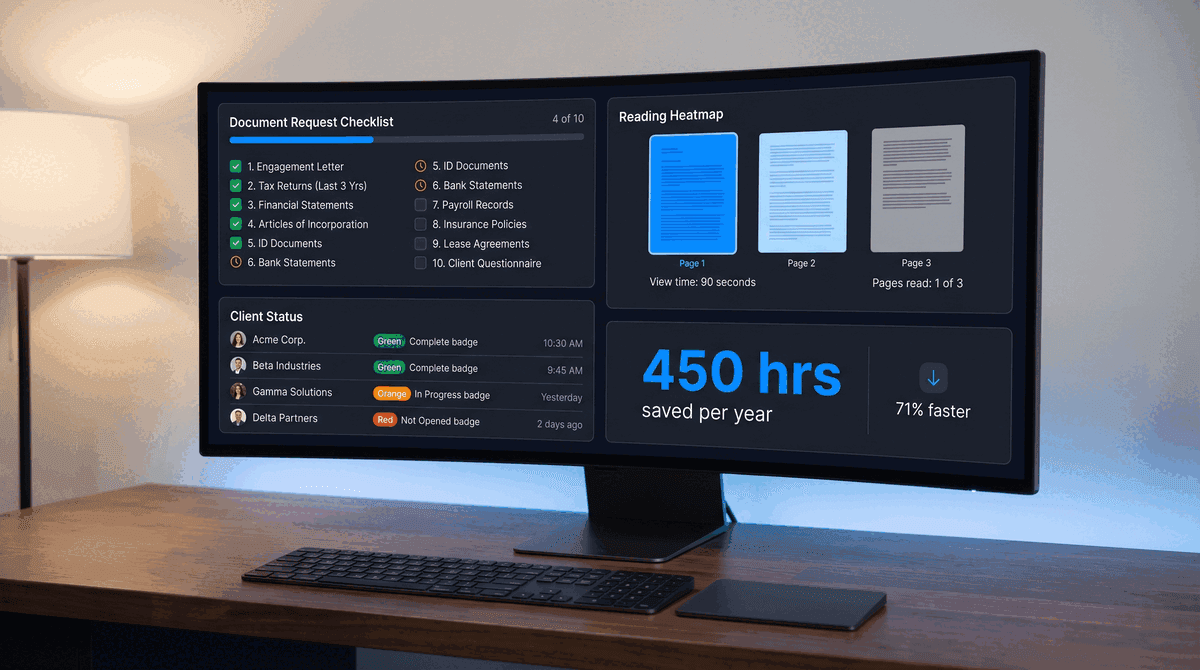
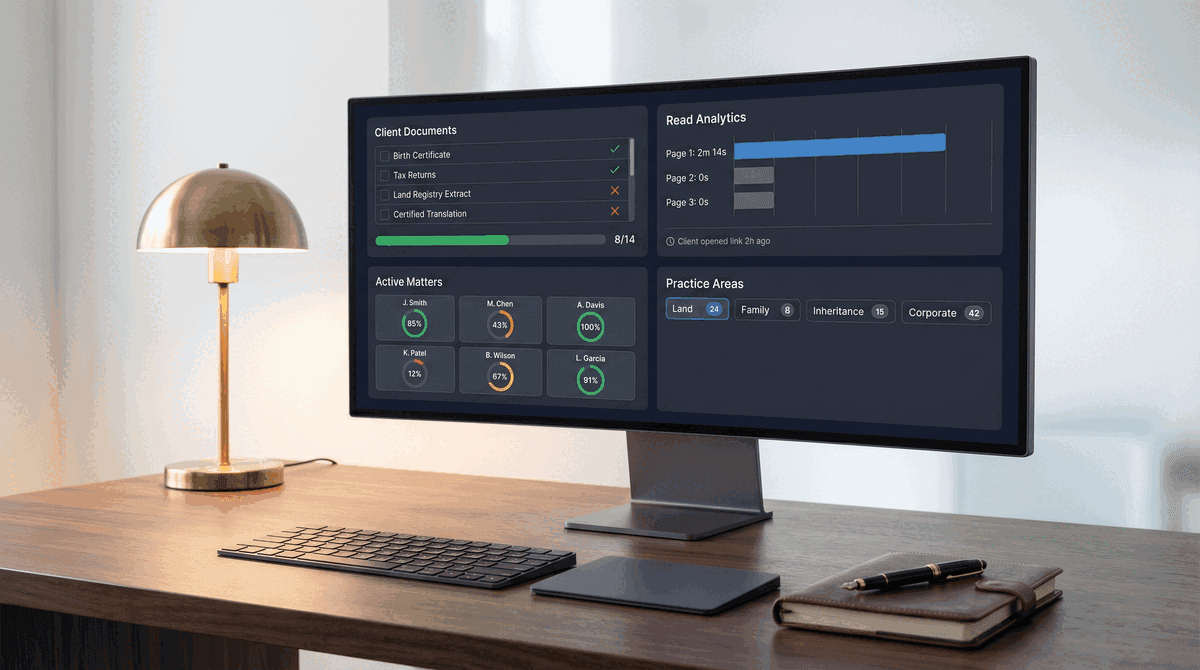
With read analytics: The attorney shares the requirements through a document link with page-level tracking. Within 48 hours, the dashboard shows the client opened the link, spent 2 minutes on page one, and did not view pages two or three. The attorney calls the next morning: "I noticed you may not have seen the translation and authentication requirements on the second page - those take the longest to arrange, so I wanted to flag them early." The client starts on the harder documents immediately. One targeted conversation replaces three rounds of corrections.
PaperLink tracks page-by-page viewing analytics for shared documents - which pages a recipient viewed, how long they spent on each, and whether they returned to review specific sections. Combined with structured document requests and an upload portal, it creates a single workflow where attorneys can share requirements, verify client engagement, collect files, and reject items that need correction.
The read analytics data serves a dual purpose. It helps prioritize follow-ups (a client with 100% page completion needs different treatment than one who viewed 30 seconds of a 3-page checklist). And it creates an audit trail that documents client communication - useful for compliance records and, in worst-case scenarios, malpractice defense.
Document Collection Tools Compared
The table below covers the most relevant tools for law firm document collection in 2026. Pricing and features reflect publicly available information as of April 2026.
| Tool | Starting Price | Best For | Structured Requests | Auto Reminders | Read Analytics | Upload Portal |
|---|---|---|---|---|---|---|
| Content Snare | $9/month | Agencies, accountants | Yes | Yes | No | Yes |
| Clustdoc | $27/month | Regulated industries | Yes | Yes | No | Yes |
| FileInvite | Free plan | Mortgage, lending | Yes | Yes | No | Yes |
| ShareFile | $55/month/user | Enterprise (HIPAA) | Yes | Yes | Basic open tracking | Yes |
| Moxo | Custom pricing | Enterprise client portals | Yes | Yes | No | Yes |
| PaperLink | Free plan | Legal, professional services | Yes | Yes | Page-level analytics | Yes |
Content Snare and FileInvite are strong choices if automated reminders and structured collection are the primary need. Clustdoc stands out for ISO 27001 and GDPR compliance requirements. ShareFile is the enterprise option for firms requiring HIPAA-level security. Moxo offers full client portal functionality for larger firms that need branded onboarding workflows.
PaperLink is the only platform in this group that combines structured document requests with page-level viewing analytics. If your workflow depends on knowing whether clients read requirements before they started collecting documents - and not just whether they uploaded files - this is the capability gap to evaluate.
PaperLink does not currently offer built-in e-signatures or payment collection. If your workflow requires signatures alongside document collection, consider Content Snare's Zapier integrations or a dedicated e-signature tool like PandaDoc or DocuSign alongside your collection platform.
How to Set Up a Legal Document Collection Workflow
These steps apply regardless of which tool you choose, though the analytics capabilities will determine how effectively you can execute steps 4 and 5.
1. Build templates by practice area and matter type. An immigration firm needs different checklists for family-based green cards, employment petitions, and naturalization. A real estate practice needs separate templates for residential closings, commercial transactions, and refinances. Create the template once with every required document, format specification, and deadline. Reuse it for every client in that matter type.
2. Write requirements in client language, not legal language. "Certified English translation of all foreign-language civil documents per 8 CFR 103.2(b)(3)" means nothing to a client who has never filed an immigration case. "Certified translations of your birth certificate and marriage certificate - these must be done by a professional translator, not a family member, and include a certification statement" helps the client get it right the first time. Include estimated processing times for documents that require third-party action.
3. Set internal deadlines with buffer. If the filing deadline is June 15, set the client submission deadline for May 25. The three-week buffer accounts for the documents that will arrive wrong, the one provider who is slow to respond, and the translation that needs revision. Communicate the client-facing deadline, not the actual filing deadline.
4. Use read analytics to segment follow-ups. Clients who opened and read the full requirements list need a check-in, not a re-explanation. Clients who viewed 30 seconds of a multi-page document need a phone call walking through the requirements they missed. This distinction saves hours per week that would otherwise go to one-size-fits-all reminder emails.
5. Track completeness visually across your caseload. A dashboard showing 8/14 documents received across 30 active matters is more useful than scrolling through email threads per client. Visual tracking reveals which matters are at risk before the deadline arrives.
For a detailed look at document request workflows with reject-and-reupload capabilities, see our guide on document requests and the reject and reupload workflow. For engagement letter tracking specifically, we cover how read analytics apply to the first document in every client relationship. For NDA and contract reading verification, see how law firms track whether clients read NDAs.
The Return on Fixing Document Collection
The ROI data from firms that have adopted structured document management tools is consistent. IbeX's analysis found that firms using modern document systems report an average of $158,400 in additional annual revenue, handle 276 more cases per year (a 38% caseload increase), and recover 528 hours annually through automation. Smokeball's 2024 survey found that 62% of firms adopting case management systems report increased client satisfaction. MyCase data shows client portals reduce email volume by up to 90%.
The malpractice dimension is worth repeating: 28.5% of all legal malpractice claims stem from administrative and document errors. A structured collection workflow with automated tracking does not eliminate this risk entirely, but it reduces the surface area for the most common failure modes: missed documents, expired certifications, and requirements the client never reviewed.
With 87% of law firms now offering remote work and 82% of paralegals working remotely in some capacity, the shift away from paper-based and in-person document handoffs is not temporary. Digital document collection is the baseline, not the upgrade.
Start collecting documents with read analytics on PaperLink - free plan available, no credit card required.