One Less Reason to Bounce Off the Sign-in Page
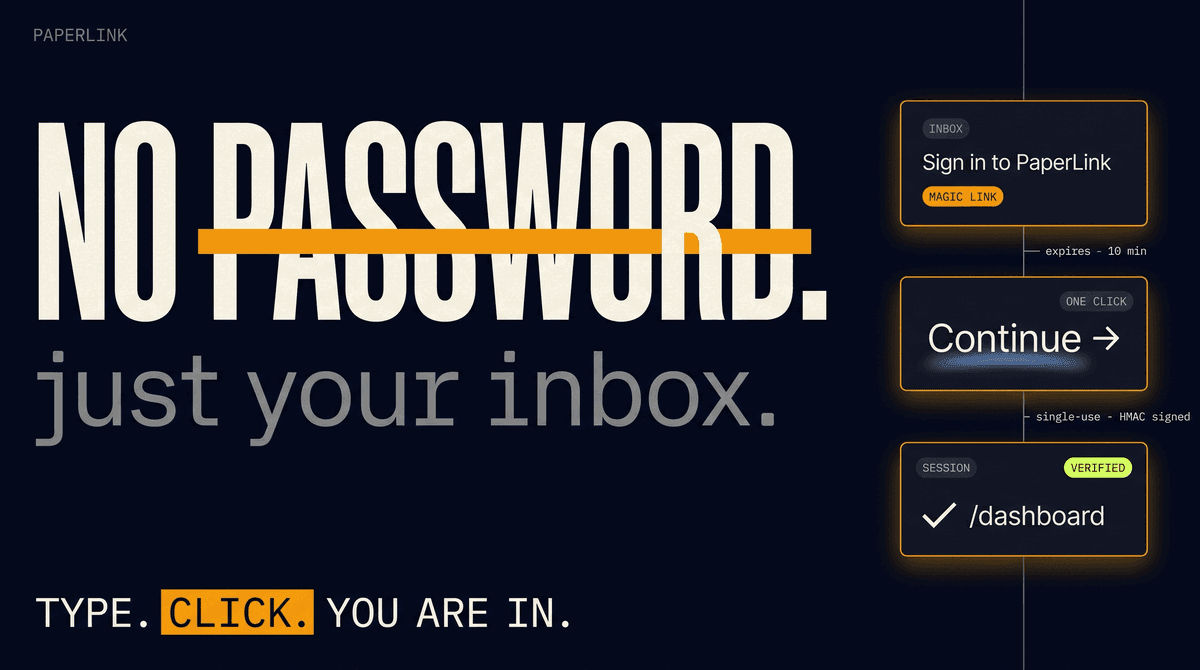
PaperLink now supports passwordless email sign-in. Type your address on the sign-in page, click the link we email you, and your account is ready. No password to remember, no permission screen, no third-party login required to try the product.
Email sits at the top of the page as the primary option. Google, LinkedIn, and Telegram are still there for anyone who prefers them.
Why Email First
OAuth-only sign-in asks every visitor to grant Google or LinkedIn permission to a product they have not tried yet. Plenty of people are not ready to do that on the first visit, so they close the tab.
The problem is sharper outside the US. In markets where Google is not the primary work identity, the choice is even narrower. Singapore, Indonesia, and parts of mainland China rely on different identity providers depending on the workplace. Telegram already helped here, but a generic email address is the one identifier everyone has.
Magic-link sign-in is the proven fix. Notion, Linear, Vercel, and Papermark all ship it as a first-class option. It swaps a permission decision for a one-second question: what is your email address?
How It Works
Type your email, hit Continue with Email, then open your inbox. We send a sign-in link that works for ten minutes. Click it and you are signed in. If you typo your address, the confirmation screen shows what you typed, so you can spot the mistake before refreshing your inbox in vain.
If you never used PaperLink before, your account is created the moment you click the link, with everything ready to upload your first document. If you already signed up through Google, LinkedIn, or Telegram, the email finds your existing account - no duplicate, no migration, same documents and team.
Did not get the email? Wait 60 seconds and click Send again on the confirmation page. Each new link replaces the old one, so only the latest email in your inbox will work.
A Quieter Sign-in Page
We took the opportunity to clean up a few small things while we were rebuilding the page.
The email field is now the largest, most obvious element on the page. The OAuth row sits below an or divider, so the eye reaches the simpler option first.
The welcome email also dropped its placeholder greeting. New users without a name on file get a clean Welcome to PaperLink!, not the awkward Hi there, that used to leak through.
Try It
Open app.paperlink.online, type your email, and check your inbox. If you already have an account through Google, LinkedIn, or Telegram, the same email signs you straight in. Step-by-step instructions live in the Sign In help article.